Author:Military Drone Manufacturer TIME:2026-10-09
Choose Android or Ubuntu for the RA10 Handheld Ground Control Station by matching the delivered system to your actual software workflow. Start with the application name, release and installation package, then verify the hardware architecture, peripheral drivers, video path and recovery process on a sample. The brochure lists Android 15 and Ubuntu 20.04 as options; it does not establish dual boot or compatibility with any specific application release. Android may suit an existing approved mobile application, while Ubuntu may suit an established Linux integration. Neither choice is ready for a project until the agreed application and connected equipment work together on the delivered unit.
Contents:
A handheld terminal combines a display, computing platform and operator controls. The application still needs a working route to the equipment it supervises. For a civil inspection or mapping project, write down the operator's required tasks: view telemetry, inspect a live camera stream, prepare approved project data, save records or transfer files. Mark which tasks are essential for the first delivery and which belong to a later integration.
The RA10 brochure lists a 10.1-inch, 1920 × 1200 display, an Allwinner A733 processor and 8GB memory with 64GB storage. These details describe the offered platform; they do not show which application build is installed or what a connected video system can do. Ask the supplier to identify the ordered terminal, system image, software and modules separately.
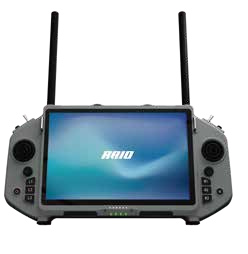
For example, a team that already uses an approved Android application should first check that exact package on the RA10 Android option. A team with a Linux-based inspection workflow should start with its existing application and device dependencies. Changing the preferred OS just because a specification contains the word Linux can create extra integration work without meeting the original requirement.
An OS name is a starting point. A useful configuration record names the system release, supplied image revision, processor architecture exposed to applications, application version and package source. Where the application contains native components, its build must match the device environment. Ask for evidence from the actual supplied unit rather than assuming that a desktop installer or a package for another controller will run.
Versions matter even when an application is offered on multiple platforms. The official QGroundControl Stable V5.1 installation guide lists its Ubuntu packages for Ubuntu 24.04 LTS and 26.04 LTS. The RA10 brochure's Ubuntu 20.04 option therefore does not establish compatibility with those packages. Request a specifically identified, supported build and a demonstration if that application is required. Android availability also does not prove that the application can access this terminal's controls, telemetry devices or selected video link.
Do not turn the brochure's operating-system alternatives into a promise that one unit can switch between Android and Ubuntu. Confirm the system delivered with the order. If a supplier proposes a different release or a custom application, obtain its written configuration and maintenance scope before accepting it as an equivalent.
Compare the two options through your existing work, rather than through a general claim that one OS is better. The following table is a buyer's decision framework. It describes evidence to request, not functions already tested on the RA10.
| Your requirement | Android option: ask for | Ubuntu option: ask for | Decision evidence |
|---|---|---|---|
| Existing project application | Approved Android package and installation method | Linux build and required dependencies | The required version starts and completes agreed tasks |
| Connected control or telemetry equipment | Application permissions and device access | Driver, device access and user permissions | The exact peripheral is recognized after restart |
| Live video viewing | Supported stream format and decoder path | Player integration, codec and decoder path | The supplied stream remains usable during the test |
| Offline project data | Available storage and application import process | Data locations and import process | Required files are available without an unplanned service |
| Support after delivery | Image recovery and application update responsibility | Image, package and dependency maintenance responsibility | A named owner and documented recovery procedure |
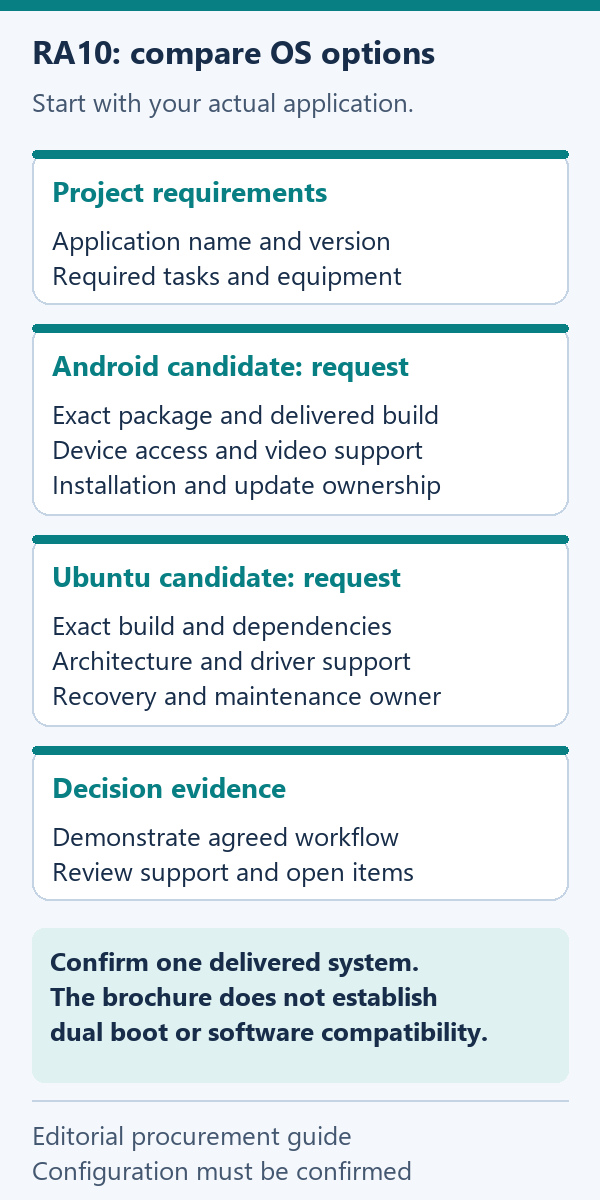
If both options meet the essential checks, compare the remaining support burden. An established application and recovery process may be more valuable than a longer list of untested functions. If neither meets a mandatory requirement, record the gap before placing a repeat order. Do not mark a row passed because an application icon appears on the screen.
Make a short connection schedule for the intended configuration. Each row should name the peripheral, physical connection, direction of data, supplied cable and application that uses it. Ask which components are part of the terminal order and which are optional. An external video module shown in a brochure is not automatically included, and a connector's appearance is not proof of its transfer performance.
For control inputs, ask the supplier to demonstrate the intended application's recognition and mapping of the available controls. Check that labels and on-screen responses agree with the approved setup. Keep this test on a controlled bench with the vehicle or equipment made safe; a purchasing demonstration does not require an operational flight.
For video, identify the camera or stream source, selected link, stream format, resolution and viewing application. A live picture alone does not establish recording support, file export or acceptable behavior under the project's normal application load. Define the functions you need, then demonstrate them together. Treat measured performance as specific to the tested configuration and conditions.
The supplied RA10 brochure contains conflicting brightness, USB speed and operating-duration entries. Those figures are not suitable acceptance limits until clarified. Ask for corrected values and measurement conditions where they affect your workflow. Do not substitute a connector standard, processor capability or another model's specification for a result from the offered terminal.
Use a sample to resolve the highest-impact uncertainties before ordering multiple units. Send the supplier a test sheet with a requirement, method, expected result and evidence field. Define pass or fail criteria together; the outline below is a proposed method rather than a report of tests already performed.
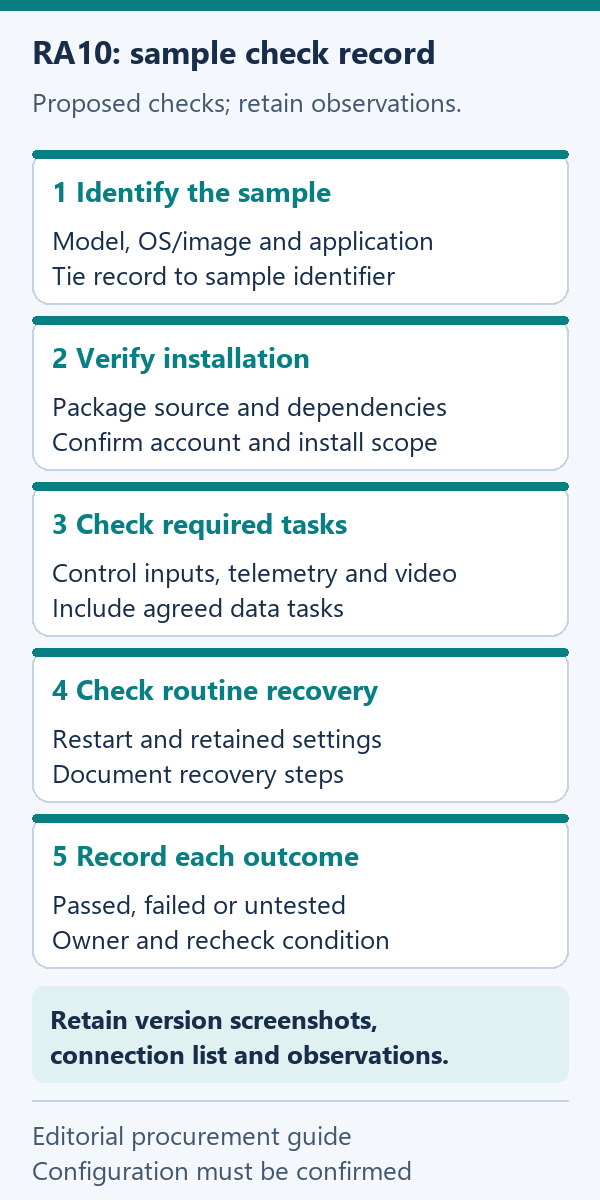
A practical evidence pack includes version screenshots, a connection list and a brief record of each observed result. If video is important, identify the stream used in the demonstration and save a representative record where permitted. This lets purchasing, engineering and the supplier discuss the same configuration instead of interpreting separate marketing claims.
The initial demonstration is only part of delivery. Ask who supplies the recovery image, who can restore the unit and whether restoring it removes project data. Establish where configuration files and logs are kept, how authorized users export them and which data should be backed up before a reset. Request written instructions appropriate to the delivered OS.
Separate the terminal image, application, connected-module firmware and any account-based service in the maintenance record. They can have different owners. A supplier may support its image while a project developer supports the application. Agree which combinations are covered, how updates are evaluated and who approves changes to an accepted project configuration.
For repeat orders, attach the accepted configuration record to the purchase specification. If a component or image changes, request a change note and recheck the functions affected. This helps avoid receiving a physically similar RA10 with a different software environment that has not been accepted by your team.
Does the RA10 brochure confirm dual boot?
No. It lists Android 15 or Ubuntu 20.04 options, but the available evidence does not establish two installed systems or switching between them on one supplied unit. Confirm the delivered system in writing.
Can I assume the latest QGroundControl works on the Ubuntu option?
No. A generic Ubuntu label does not confirm a compatible release, application package or connected-device support. Request the specific build and a demonstration on the offered RA10 configuration.
Is Android the simpler choice for every operator?
That depends on the approved application and support process. An Android package that installs still needs the required permissions, peripheral access and video behavior. Choose it when the actual workflow passes, rather than from the OS name alone.
What should I send the supplier before requesting a sample?
Provide the application and version, preferred OS, connected equipment, required video functions and essential workflow. Add proposed acceptance criteria and ask the supplier to identify unresolved items before shipping the sample.
Which brochure parameters need clarification?
Display brightness, USB speed and operating duration have conflicting entries. Request an updated specification and relevant conditions when these affect acceptance. The listed OS options also need a configuration-specific delivery and software record.
Choose the option that demonstrates your essential application, connections and data workflow, with a support path your team can maintain. Use the RA10 Handheld Ground Control Station specification reference to prepare the hardware portion of the request, then add the exact software and sample checks described above.
The next useful output is a written configuration: delivered OS and image, application build, included modules and accessories, passed sample checks and unresolved exceptions. When that record is complete, the Android-or-Ubuntu question becomes a traceable purchasing decision rather than an assumption about compatibility.

 Tel: +86-13959965075
 Email: info@fpvdroneskit.com
 MP/WhatsApp: +86-13959965075
 Manufacturer Address:Quanzhou Valley Nanan Science and Technology Innovation Center, No. 89 Shijing Avenue, Shijing Town, Nanan City, Fujian Province