Author:Military Drone Manufacturer TIME:2026-10-10
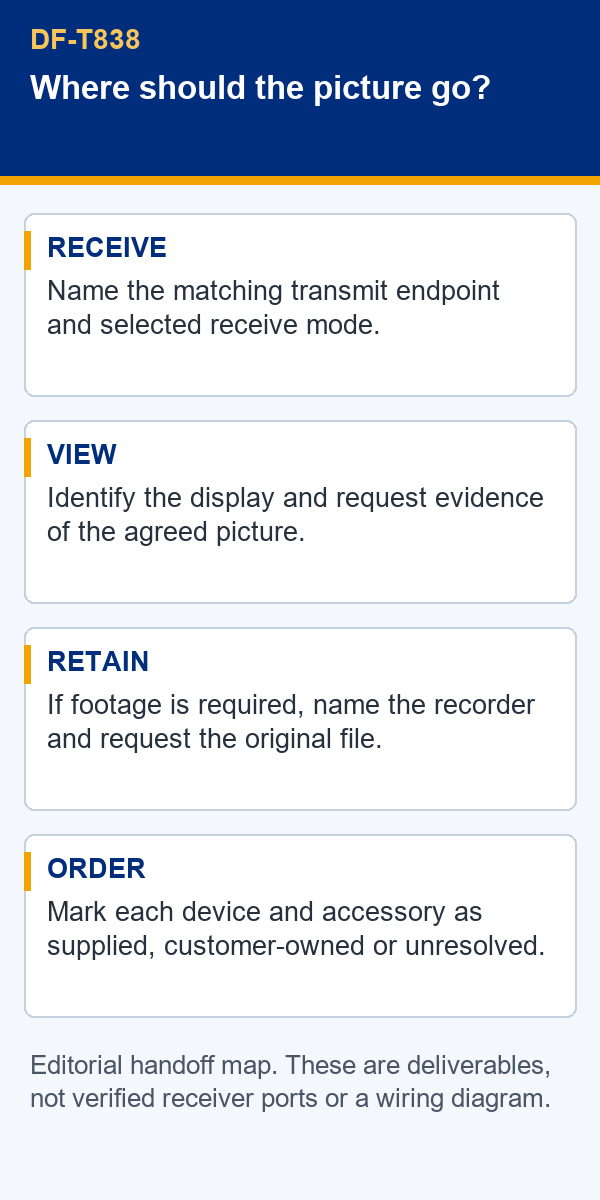
For an FPV drone project, a DF-T838 Ground Video Receiver offer should state where the received picture goes and what evidence will accompany that handoff. Name the corresponding transmitter, the selected receive mode, the display and any equipment responsible for recording. Agree a visible sample result and, if footage must be retained, a retrievable original file. The supplier manual identifies DF-T838 as a ground receiver with wireless and fiber-optic transmission options; it does not settle the complete ground-end configuration. Buying a receiver by model name alone leaves the display connection, recording responsibility and included accessories open. Resolve those points before accepting a system offer.
A ground receiver is one part of a chain. A buyer may already own a screen, may expect a supplier to provide a handheld terminal, or may need footage stored by separate equipment. Those arrangements produce different orders even when the receiver model remains unchanged. Begin with the result the person at the ground end must receive: an agreed picture on a named display, a retained file, or both.
Use a short equipment list rather than a broad statement such as “complete video system.” Place the receiver in the middle of that list and name the equipment before and after it. Mark every item as supplier-provided, customer-provided or still to be selected. This prevents a supplier's receiver demonstration from being mistaken for evidence that the customer's monitor or recorder will work in the same arrangement.
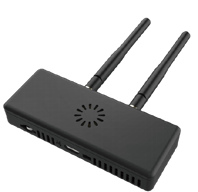
The distinction also keeps the product description honest. A receiver photograph can establish the appearance of the shown unit, while a configuration sheet can describe the offered revision. Neither establishes the outcome of a different equipment chain. A procurement record should connect the offered hardware to the intended ground-end result.
The brochure describes wireless and fiber-optic transmission for DF-T838. Treat these as listed options whose delivered configuration still needs to be stated. Do not read the two words as evidence that both inputs operate together or that one takes over automatically when the other stops. If a particular mode or changeover behavior matters, ask the supplier to describe it in writing.
Name the corresponding transmit endpoint by its exact model and hardware revision. Ask for confirmation that this endpoint is suitable for the offered receiver configuration. Similar model names, photographs in one catalogue, or a shared description of video transmission are insufficient on their own. A matching statement should refer to the two supplied units, rather than a broad equipment family.
This is a purchasing boundary, not a request for undocumented connection experiments. Use the manufacturer's supported equipment and documentation. If the supplier cannot yet identify the paired hardware, keep that line unresolved in the offer. An unresolved input should not disappear behind a claim that the ground receiver is ready for the customer's existing equipment.
A clear line item identifies the transmit endpoint, DF-T838 revision and chosen receive arrangement. A mode name alone leaves the pair undefined.
A visible picture answers a viewing question. It does not automatically answer where footage is stored, what creates the file or whether another person can retrieve it later. For an inspection review or training record, those can be separate requirements. Assign each to a named piece of equipment or software before discussing whether the order is complete.
| Required result | What the offer should identify | Evidence to request |
|---|---|---|
| View the picture | Receiver output, named display input and the connection accessories supplied | A demonstration record identifying both units and the shown picture |
| Retain footage | Recorder or software, storage responsibility and the required deliverable | An original retrievable file and a record of the equipment that created it |
A request for “recording support” is too open if the buyer needs a particular file for later review. Define the required result without assuming that the receiver itself stores it. Ask where the record is created and who supplies that equipment. If recording is outside the order, say so explicitly; the order can still be valid when the boundary is understood.
Likewise, obtain the actual output specification before choosing a screen connection. The source available for this page does not confirm a configuration-specific connector or format. A display demonstration should therefore name the output used, rather than letting the reader infer it from an enclosure photograph.
Request a sample record that a receiving team can associate with the offered equipment. It should identify the receiver and transmit endpoint, the selected mode, the display and any recording equipment. The record should state which output was demonstrated and whether the original file accompanies it. An attractive screenshot is useful for showing a picture, but it does not describe the equipment responsible for that picture.
Where retained footage is required, keep an original sample file rather than relying entirely on an edited promotional clip. The file allows the buyer to review the deliverable that was actually requested. It still should not be presented as proof of a flight distance, environmental rating or untested latency. Those are different claims requiring their own conditions and evidence.
Give each delivered file a reference in the sample record. Keep its received name and format alongside the demonstration date, receiver identity and recording equipment. If a reviewer makes a shortened or annotated copy, retain the original separately and identify the copy as a review aid. This avoids confusing an edited file with the supplier's deliverable. Ask the supplier to resolve a missing or unreadable file against the same record, so a replacement remains attributable to the demonstrated arrangement. Agree who will retain that record and where the receiving team can find it. These are document-control choices for the purchase; they do not establish storage or export functions inside the receiver.
For an agreed viewing result, the demonstration record can be much simpler: equipment identities, selected output and a clear statement of what was visible. Let the supplier perform the demonstration under supported conditions. The buyer's task is to compare the evidence with the written requirement, not to reconstruct undocumented hardware settings from a video.
The ground end is also a physical arrangement. A receiver, display, power equipment and accessories need a suitable place to sit. Review the actual units and the manufacturer's installation instructions. Check that labels are legible, supplied connectors are accessible and ventilation openings will have the clearance specified for the delivered hardware.
The brochure image shows antennas and openings in the DF-T838 enclosure. It does not provide a verified installation envelope, mounting pattern or environmental qualification. Ask for a dimensioned drawing and the applicable power and installation requirements when those affect the intended location. Do not substitute an approximate measurement from the photograph for the supplied revision's drawing.
Have the supplier distinguish included mounting or power accessories from items the customer must provide. A receiver arriving without an expected accessory may be an incomplete shipment or a correctly fulfilled receiver-only order. The written scope decides which. Resolve that scope early enough for the purchasing and receiving teams to use the same list.
A sample and a later shipment may differ in hardware revision, paired endpoint or included accessories. Ask for those differences to be identified before they are accepted. A familiar model name should not conceal a changed ground-end arrangement. The relevant question is whether the previously agreed viewing and recording results still have supporting evidence.
Not every substitution requires a new project review. A decision can be limited to the requirement affected. For example, a different supplied accessory may require an updated inclusion list and a fit review. A different display arrangement calls for evidence of the picture on that display. Keep the reason for the review explicit so a minor packaging change is not confused with a changed system capability.
At receipt, compare the shipment with the agreed configuration card. Record model and revision labels, quantities and the accessories actually present. Retain the relevant technical sheet and the supplier's matching statement with the equipment list. A receiving record should let another person identify what was ordered without reconstructing the email conversation.
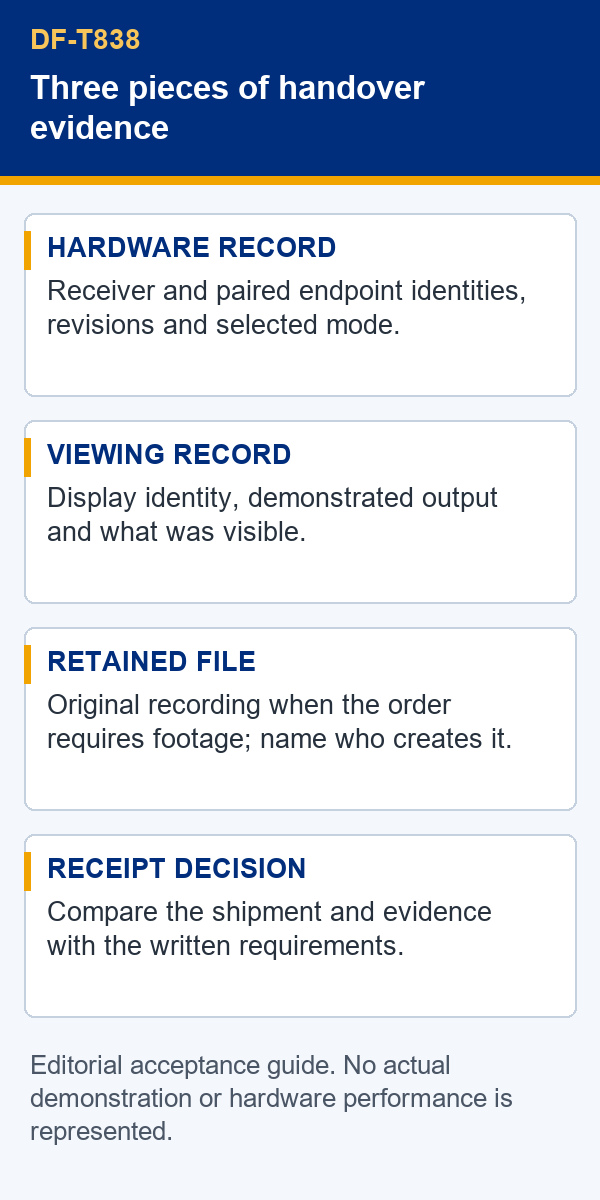
Keep unresolved requirements separate from damage or missing items. A damaged enclosure is a receiving finding. An undocumented output is a technical scope finding. An absent recorder is a shipment discrepancy only if the recorder was included. These distinctions help the supplier answer the actual issue and give the buyer a clear basis for acceptance.
Use the DF-T838 Ground Video Receiver product page as the model reference, then attach the configuration-specific offer and evidence to the order. The public description explains the receive endpoint's role; the order documents define the particular units and results being purchased.
Only when the offer names it as included. Ask for a separate display line with the exact unit and accessories, or mark the display as customer-provided.
The material used here does not establish that behavior. Name the equipment responsible for recording and obtain evidence of the required file.
The brochure's mode description does not establish automatic fallback. Put any required changeover behavior in the offer and request configuration-specific confirmation.
A video made with another display does not resolve that monitor's input. Identify the intended display and request a result for the agreed arrangement.
Send the corresponding transmit equipment, intended display and whether a retained file is required. Ask the supplier to state the receiver configuration, output and supplied accessories against those inputs.

 Tel: +86-13959965075
 Email: info@fpvdroneskit.com
 MP/WhatsApp: +86-13959965075
 Manufacturer Address:Quanzhou Valley Nanan Science and Technology Innovation Center, No. 89 Shijing Avenue, Shijing Town, Nanan City, Fujian Province