Author:Military Drone Manufacturer TIME:2026-10-10
The GC10 Dual Sensor Gimbal Camera has an approximately 5.13 MP visible sensor, but its brochure lists saved JPG photographs at 1920×1080. Live video and TF recordings have their own format entries, while GPS and shooting-time information depend on external inputs. For civil FPV drone and UAV inspection work, specify the output the reviewer will actually use. A sensor rating, a display screenshot and an original photo answer different questions. This guide follows the image from its sensor reference to the received file, then separates visible overlays from metadata stored with a photograph.
The GC10 combines visible imaging and an uncooled vanadium oxide thermal imager on a three-axis gimbal. The dual sensor camera description refers to those imaging channels. The specification for one channel should stay attached to that channel, and a file specification should stay attached to the file. This is especially useful when several numbers appear close together on a quotation.
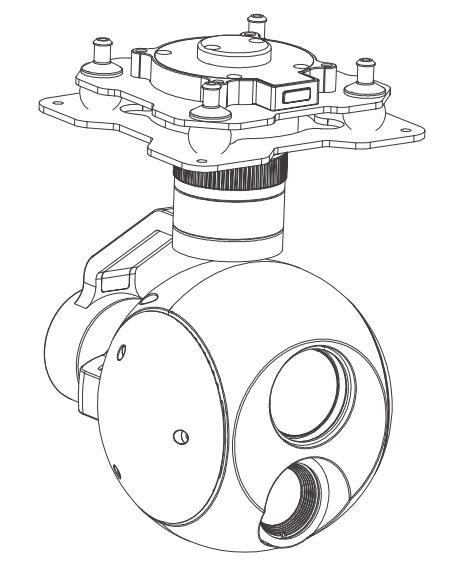
Imagine a civil inspection report that needs a readable equipment label. The useful question is whether the original delivered image shows that label at the report's review size. The visible sensor rating is relevant background, but it does not replace that file. Ask for an original photo from the offered GC10 configuration and name the detail to be examined. Keep the result tied to that sample rather than converting it into a general performance promise.
A quotation can record sensor, output and file format on separate lines. If the project requires a still image larger than the listed JPG format, state that requirement explicitly and request supporting documentation. Do not describe a 1920×1080 file as a 5.13 MP photograph simply because both figures belong to the same camera.
The visible channel has a 10× optical-zoom lens, listed from 4.7 mm to 47.0 mm. The brochure also identifies automatic focus, one-touch automatic focus and manual focus. These entries describe the visible camera; they should not be copied into a thermal-channel specification. A request for a 10x optical zoom gimbal camera can match this visible lens while leaving the infrared channel's lens and zoom method separately identified.
Choose a relevant scene for the sample request. A team examining equipment markings needs a different example from a team reviewing the shape of a surface feature. Supply a reference image or a written description of the detail, and say whether the reviewer will examine a still photo or a recording. This makes the sample useful without prescribing flight procedures or claiming a working distance.
Keep any crop made for a report alongside the original. A crop can direct attention to a feature, but its enlarged appearance should not be mistaken for extra captured detail. Record that it is a review copy. The source does not establish that every installation will reproduce the brochure's stabilization description, so judge the proposed configuration using the files actually supplied.
The thermal reference is a 640×512 detector with a 19 mm lens. The brochure names white-hot, black-hot and pseudo-color palettes, plus 1×–8× electronic zoom. A palette changes the presentation of the thermal image. Electronic enlargement does not change the detector's pixel count. Keep both settings in the sample notes if the reviewer needs to compare different views.
For a UAV thermal camera requirement, describe whether the project needs a viewable thermal scene or a temperature-data result. The GC10 material used here supports thermal imaging, but does not establish temperature measurement or radiometric files. A thermal picture can be reviewed as a picture. Numeric measurement requires its own supported product configuration and evidence; it cannot be inferred from a colored scene.
Retain the channel label even when a received file has ordinary video dimensions. If the supplier supplies a combined demonstration, ask which parts are camera output and which were arranged for presentation. The term EO/IR gimbal camera identifies the visible and infrared imaging pair; it does not establish fusion, alignment or simultaneous saved files.
The GC10 table lists micro HDMI video at 1080p, 30 or 60 fps, and IP video using RTSP or UDP at 720p or 1080p, 30 fps. Those are separate output references. Identify the one proposed for the receiving display or application, and have the supplier name the channel and configuration used for its demonstration.
| Stage | Listed reference |
|---|---|
| Micro HDMI live video | 1080p, 30 / 60 fps |
| IP live video | RTSP / UDP; 720p / 1080p, 30 fps |
| TF still photograph | JPG, 1920×1080 |
| TF video recording | MP4, 1080p, 30 fps |
If a ground display records the received feed, label that recording as a receiver-created file. It is a different origin from a camera TF recording. A demonstration of one should not stand in for the other when the project specifically requires the camera original. The listed 60 fps micro HDMI output also does not establish a 60 fps recording on the TF card.
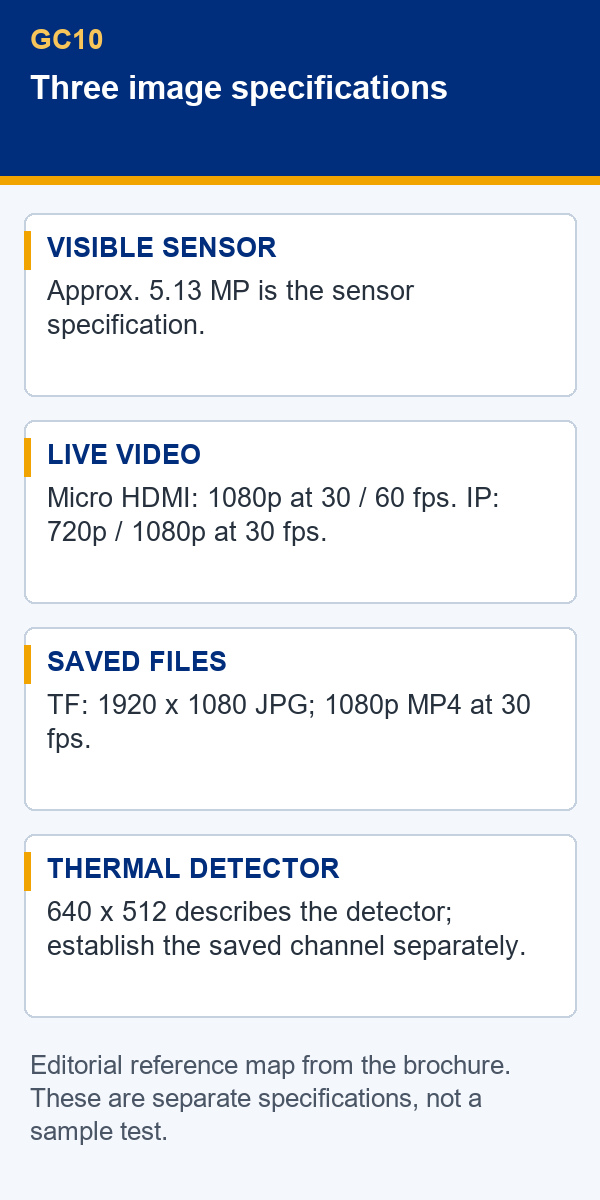
Write down the receiving equipment and the output it is expected to accept. Interface names alone do not prove that a particular display or application will work with the offered unit. Request revision-specific interface documents and a sample from the named combination. This establishes the question to be checked without inventing network settings, latency figures or compatibility results.
The brochure lists a TF card of up to 128 GB, Class 10 or higher, formatted as FAT32 or exFAT. It names JPG for photographs and MP4 for recordings, with the dimensions and rate shown above. Confirm whether a card is included in the package and which imaging channel each saved example contains. The storage entry alone does not establish separate files from both channels.
A messaging preview can be convenient for an early discussion, but it should not be the only image available for a file-quality decision. Ask for the original when resolution or metadata matters. Identify which version the reviewer used so that a later report reader can find the same evidence instead of guessing from a thumbnail.
The table also lists HTTP photo reading. Treat this as a stated retrieval feature, with availability tied to the supplied configuration. It does not settle access control, a file's metadata contents or compatibility with your software. Obtain the relevant documentation rather than turning that brief entry into an unsupported system promise.
GC10 OSD can show gimbal and camera information. The narrative makes GPS position and real-time clock information conditional on external GPS and time signals. Under those conditions, it describes shooting-time and GPS information in captured photo attributes. Record this dependency in the order if the project needs such context; the camera description does not establish that the external source is included.
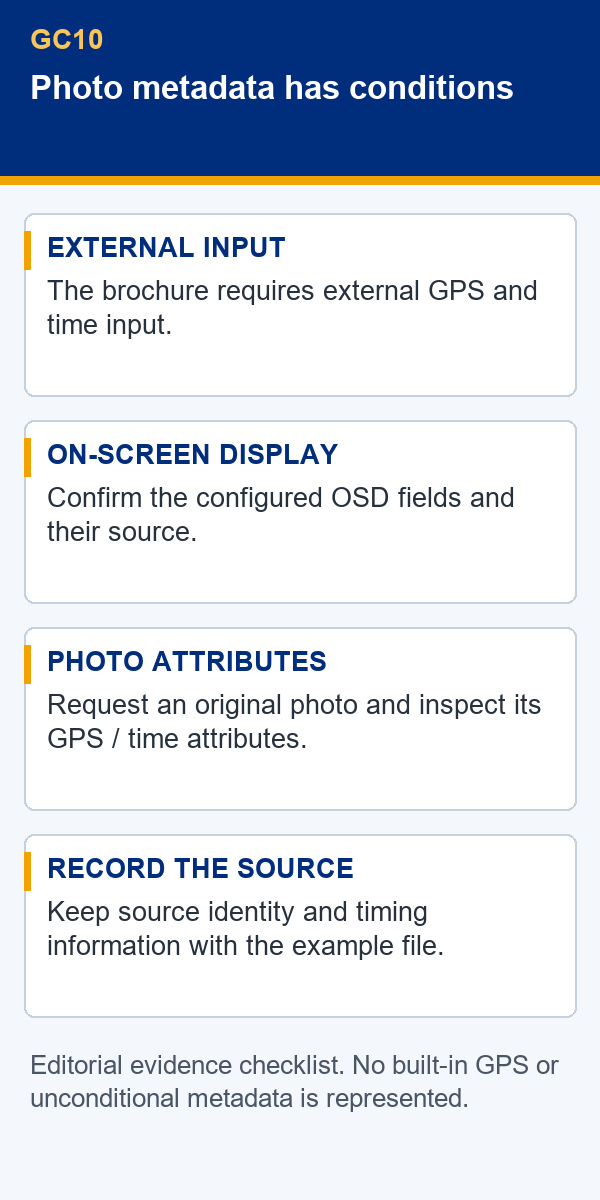
Visible text and stored attributes are separate things to inspect. A timestamp shown on a video screenshot proves only what appears in that screenshot. Ask for an original JPG when the requirement is a shooting-time attribute. Likewise, visible position text does not establish that the photo contains usable GPS attributes. Have the supplier identify the fields present in the file and the software used to read them.
A clean image, an image with visible OSD and a photograph with embedded attributes each need an accurate description. Mark metadata as unconfirmed when no original file has been examined. Keep any supplied metadata report tied to its filename.
Ask where the time input comes from and how the supplier describes the timestamp. Keep the stated time convention with the sample record so that files from different sources are not compared under an assumed clock setting. This is a documentation question, not evidence of synchronized visible and thermal capture or of any particular timing accuracy.
If location attributes are required for identifying an inspection record, use only the necessary sample information and keep its source clear. No coordinate accuracy is promised here. An original image and a supplier explanation of its attributes give the reviewer a firmer basis than a copied map label or a screenshot containing unrelated overlay text.
The brochure separately lists TF photographs as 1920×1080 JPG files. Use that saved-file entry when defining the photo requirement.
It belongs to the visible lens. The thermal channel lists a 19 mm lens and electronic zoom.
No. The TF entry is 1080p at 30 fps. The 60 fps reference belongs to micro HDMI video output.
The narrative makes that context dependent on external GPS and time inputs. Confirm the inputs and inspect an original photo.
The supplied GC10 material does not establish measurement capability or radiometric file contents. Do not make either a requirement that this source is assumed to satisfy.
A useful request can be short: identify the civil inspection detail, name the required channel, and state whether the reviewer needs live video, an original photograph or a camera recording. Add shooting-time or GPS attributes only when they are part of the requirement. The supplier can then identify the proposed output path and the external inputs needed to provide that context.
Ask for one original JPG and one MP4 from the offered configuration, with their channel labels and source path. If live viewing is also required, name the receiving equipment separately. Keep missing items visible in the review notes; a satisfactory photo does not close a live-video compatibility question, and a working display does not prove photo metadata.
The GC10 Dual Sensor Gimbal Camera product page lists the model's imaging and file references. Use them to prepare the request, then assess the particular files and documentation supplied. This keeps the decision attached to the output needed by the project rather than to the largest number on the specification sheet.

 Tel: +86-13959965075
 Email: info@fpvdroneskit.com
 MP/WhatsApp: +86-13959965075
 Manufacturer Address:Quanzhou Valley Nanan Science and Technology Innovation Center, No. 89 Shijing Avenue, Shijing Town, Nanan City, Fujian Province