


A small aircraft, with its own viewing and control equipment
The Fat Shark Vision40 Starter Kit brings an FPV aircraft, HD goggles and a hand-held radio into one kit format. Rotor Riot identifies Vision40 as its 1S starter-kit option, separate from its five-inch bundles. The photograph below shows the small guarded-propeller aircraft alongside the equipment used to view its camera feed and control it.
Choose the bundle by its component names, not the words “all-in-one” alone. The pictured Recon HD headset and TX12 radio are one combination; earlier packages described a Dominator HD headset and offered a choice of radios. The quotation needs to identify which combination is being supplied.
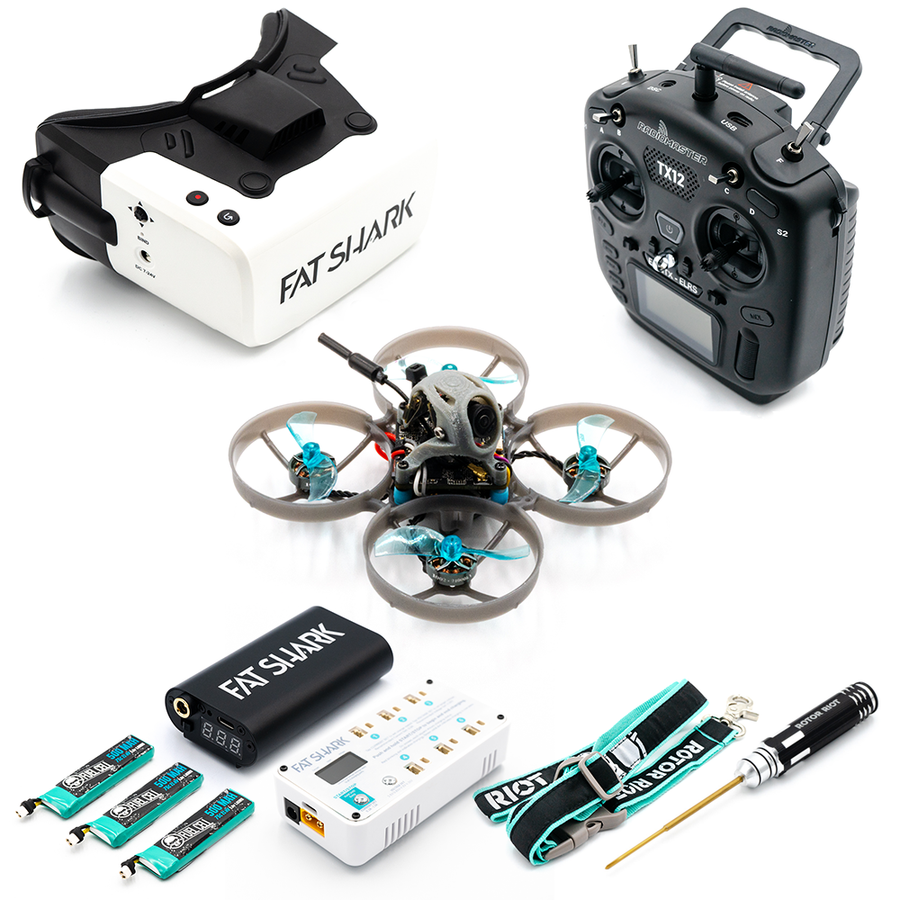
Vision40 aircraft
The aircraft is the centre of this kit. Its 1S designation describes the aircraft's power configuration; it does not describe the goggles or transmitter batteries. Propeller guards are visible around the rotors, but they do not make contact with people, pets or furnishings safe.
HD goggles
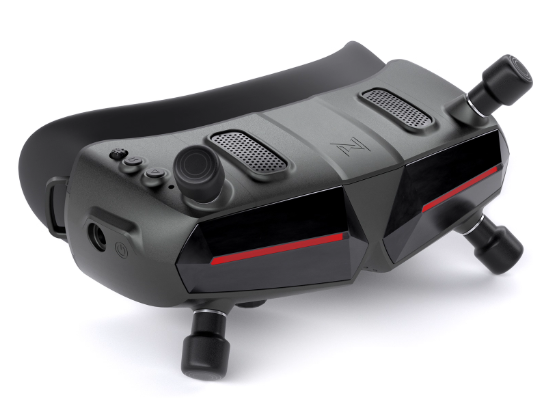
The headset provides the pilot's camera view. Recon HD is shown here, while the earlier package list names Fat Shark Dominator HD. They are alternative headset identities, not two goggles included together. For an existing kit, use the headset's own model label when looking for its instructions or replacement parts.
One radio selection
The earlier radio menu lists TX12 MKII, Zorro, Boxer and Pocket in ELRS versions. These were choices for a single controller. A familiar radio name is not enough to specify a replacement: the radio version and the aircraft receiver must also match. Do not assume that every version of the same controller uses the same link.
Separate the power items before the first charge
A kit can contain small flight batteries, a goggle power supply and transmitter batteries, each serving a different device. Keep those groups separate. Match each battery to its intended charger and follow that device's instructions; the aircraft's 1S label is not a charger setting for the entire bundle.
Request an itemised packing list naming the supplied batteries, chargers and connectors. That is more useful than relying on an accessory photograph to decide what will arrive or what can be shared between devices.
Before using a newly supplied kit
Check the aircraft, radio and headset labels against the agreed package. Follow their setup instructions and confirm the video and control links before attempting flight. “Starter kit” describes the equipment grouping; it is not a substitute for setup checks, practice or battery care.
Videos retained from this listing
These original embeds are retained for reference. They are not used here to confirm the contents, setup state or performance of a supplied Vision40 kit.

 Tel: +86-13959965075
 Email: info@fpvdroneskit.com
 MP/WhatsApp: +86-13959965075
 Manufacturer Address:Quanzhou Valley Nanan Science and Technology Innovation Center, No. 89 Shijing Avenue, Shijing Town, Nanan City, Fujian Province


