Author:Military Drone Manufacturer TIME:2026-11-09
Choose a monitor-based viewing position when its job is to present the received camera picture through a supported display connection. Choose a computer-based position when the viewer also needs a supported application, project information or a specific file workflow. DF-T838 is listed as a ground video receiver, rather than a complete handheld controller or a guaranteed recorder. Its role helps define the purchase, but the supplied output and supported viewing arrangement still need model-specific confirmation. Start with what the person must see and do at the ground position. That determines which screen, software and accessories are useful instead of simply adding the largest display.
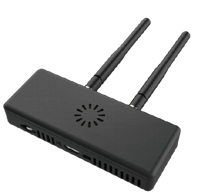
A display used by an observer during a civil inspection can have a simple purpose: show the camera picture clearly enough to discuss a visible feature with the operator. A technical reviewer may instead need to compare that picture with a drawing, consult project information or use a supported receiving application. The same phrase ground display can conceal those different jobs.
Begin with the picture and the person. State whether the person needs a full camera view, application status, other project information or more than one of those at the same time. Also state whether their task happens while the main operator is using the aircraft or during later review. A monitor showing a live feed and a computer reviewing original files are not substitutes just because both have screens.
Keep aircraft operation with the authorized operator and supported system. Adding a DF-T838 viewing position does not establish a second flight-control station or an independent camera-control role. A purchase can be useful without duplicating control: an observer may only need a shared view, while the main control equipment remains responsible for the approved operating task.
| Choice | Useful when | Equipment question that decides it |
|---|---|---|
| Receiver plus monitor | The person primarily needs a supported live picture | Does the supplied receiver output match the monitor input and required format? |
| Receiver plus computer | The task needs a particular supported application or project material | How does that computer receive the actual signal, and which software presents it? |
| Separate file-review computer | The person mainly reviews original images after the session | How are the camera's files obtained and opened in the reporting workflow? |
| Additional handheld | The project has a separate supported operator task | What explicit control and viewing functions are supplied, rather than assumed? |
The table describes purchase paths, not additional DF-T838 capabilities. It does not establish a USB capture function, a network protocol or a particular video-output format for the receiver. Ask the supplier to identify the delivered connection before selecting a screen or computer accessory around it.
A price comparison should keep these boundaries consistent. A monitor offer that excludes its power arrangement and mounting support is incomplete beside a computer package that includes them. Conversely, do not add a computer if the required result is a picture that a supported monitor can already display.
The receiver and display need an explicitly supported connection. A familiar connector name is a starting point, not the whole specification: the output direction, supported picture format and the monitor's accepted input matter. Confirm those details for the supplied receiver rather than transferring an output statement from another product in the same series.
Then choose how the picture will be viewed. An observer standing close to a compact screen has different needs from several people reviewing a picture at a table. More screen area can make available detail easier to see, but it does not add information that the camera and received stream do not contain. Compare the same representative scene, not different promotional images displayed on different screens.
Look at the usable picture area and any menus or overlays. A screen can be physically large while the relevant camera view occupies a small part of it. Ask to see the intended presentation. If the task is to inspect a roof feature, use an ordinary representative scene with enough context to relate that feature to the building. This is more useful than comparing only the diagonal measurement on display packaging.
A computer becomes useful when it adds a required task, such as opening a supported receiving application beside project documents. It should not appear in the equipment list merely because the camera picture is digital. The proposed receiver-to-computer path still needs an identified input or receiving function, with a compatible application at the end.
QGroundControl's current video documentation distinguishes different video sources, including RTSP and several UDP types. That illustrates the importance of knowing what a receiving application expects. It does not prove that DF-T838 produces any of those sources. If the supplier proposes QGroundControl or another viewer, ask for the exact offered path and supported application build to be shown on the intended computer.
Also separate viewing from file handling. A computer displaying received video does not necessarily possess the camera's original recording. If the reviewer needs an original image for a report, define that requirement separately and ask how the file reaches the computer. Buying a powerful laptop cannot replace a missing supported source or transfer method.
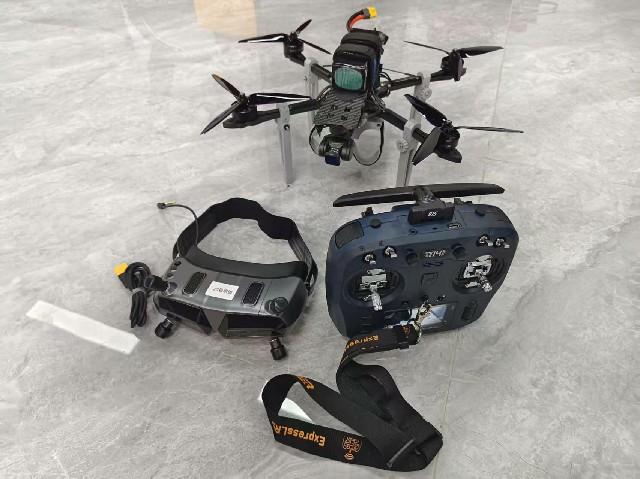
The complete viewing position contains more than a display panel. It can include the receiver, supported cables, power provision, a stand or working surface and the chosen accessories. Describe the real arrangement before comparing offers, especially if the equipment must be moved between locations. A neat product photograph does not show how several devices will sit together during use.
At a table, cables should reach their supported connection points without forcing the receiver into an awkward position. The proposed layout should preserve access to the actual connectors and any documented cooling needs. This article does not assign a minimum separation, cable length or receiver electrical limit: those belong to the selected equipment's installation guidance.
For a portable arrangement, ask how the supplier expects the complete equipment to be supported and transported. A viewing monitor that is convenient in an office may require additional power or protection at a field location. Identify those items in the offer rather than treat them as future improvisations. That makes a slightly higher complete price easier to assess than a low price for the screen alone.
Imagine an inspection team that wants a project engineer to see the current roof view while the authorized operator uses the main control equipment. The engineer needs to identify which area is being discussed and point out a visible feature. They do not need to change aircraft settings or create a separate recording at that position. A supported receiver-and-monitor arrangement is therefore worth considering first.
If the engineer also needs a digital drawing open beside the live picture, the team has a different requirement. A computer-based position may be appropriate if the proposed receiving path and application support it. The comparison then concerns the whole working position, including screen layout, access to the drawing and the equipment that brings the picture into the computer.
If the final task is only to prepare a report after the inspection, a separate file-review process may be sufficient. The engineer can work from the actual original files on the existing reporting computer. There is no reason to buy a second live-view package just to create a workspace that the team already owns. These alternatives show why the viewing task should come before the accessory list.
Ask each supplier to demonstrate the same useful result: the intended person can see the required view and use the necessary project information. Use the same camera scene and identify whether the picture is live received video or a saved file. A simple picture-only offer should be compared as a picture-only offer; a software workstation should show the specific extra job it performs.
Keep the demonstration within the project's ordinary supported bench procedure. It need not become a flight test to reveal that a monitor rejects a format, that a computer application is unsupported or that a proposed layout hides the relevant picture. Those observations help narrow the equipment before any authorized operational evaluation.
For the receiver's current role and supply discussion, review the DF-T838 ground receiver and ask FD about the intended viewing position. Include the display or computer already owned, the job the viewer must perform and whether original files are also required. Those details help distinguish a necessary complete package from accessories that add cost without answering the task.
No. It can present available information and support useful applications, but it cannot restore image detail absent from the source. Compare the actual picture and the required application task rather than assume a computer improves the stream.
Its published role is a ground video receiver. Do not infer full aircraft or camera control from that role. Additional control functions need explicit equipment and integration support within the project's approved arrangement.
That risks buying a mismatched endpoint. Identify the receiver's supplied output and the display's supported input and format first. A connector photograph or product-family description cannot settle the complete connection.
Not merely because it displays received video. Original files may remain at the camera. Specify where the required files originate and how the supported workflow provides them to the reviewer.
The receiver arrangement, viewing device, supported connection, necessary software, power and physical support. It should also distinguish existing customer equipment from new supplied items so that the total working arrangement can be compared fairly.
Viewing-position guidance uses the DF-T838 product reference, supplier brochure and current QGC video documentation. Read on 21 October 2026; the building example describes a possible requirement, not an FD installation.

 Tel: +86-15059599996
 Email: info@fpvdroneskit.com
 MP/WhatsApp: +86-15059599996
 Manufacturer Address:Quanzhou Valley Nanan Science and Technology Innovation Center, No. 89 Shijing Avenue, Shijing Town, Nanan City, Fujian Province