

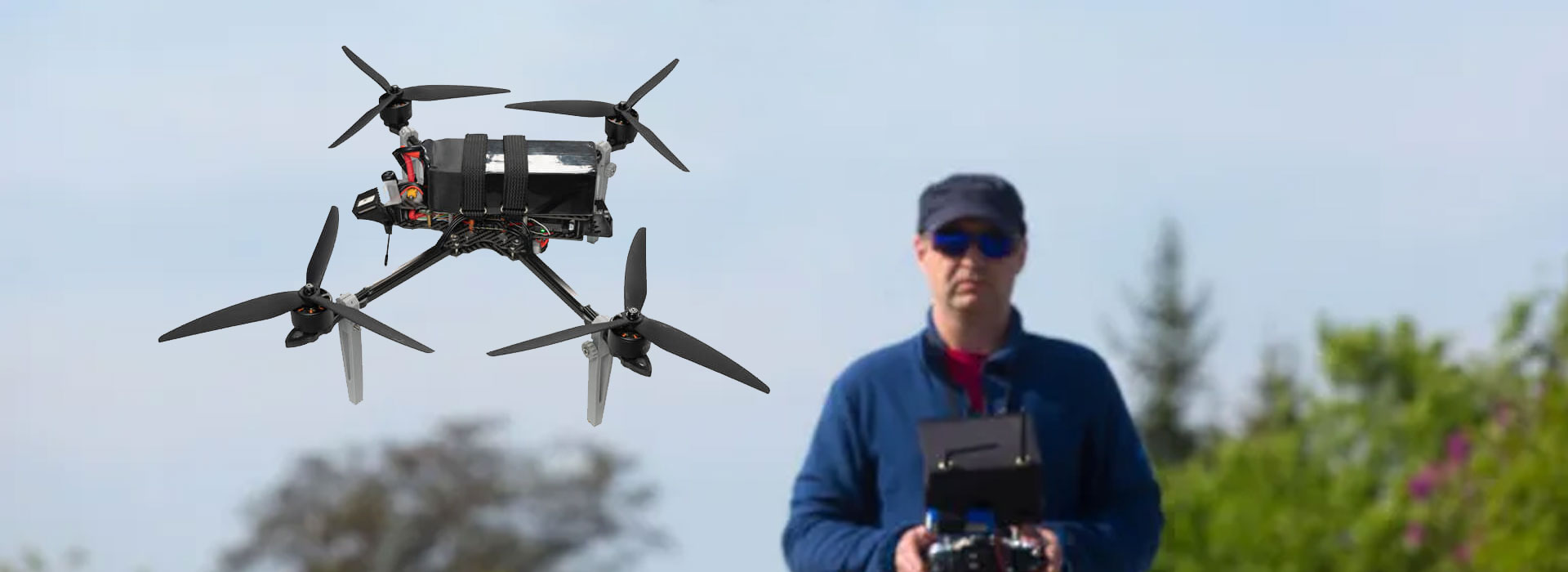
Check a QGroundControl video stream by identifying the camera source, the stream arriving at the terminal and the application's selected video input. A connected vehicle does not prove that its camera picture is available. For an RQ10 Android Ground Control Station, first establish the installed application build and the supplier's agreed video arrangement; the Android hardware description alone confirms neither. Then compare a changing bench scene with the displayed view and retain the configuration beside your observations. This separates a missing source from an application problem and gives an integrator a useful issue report, without guessing settings or promising untested RQ10 compatibility.
Write down the picture you expect
Start with a plain description: which camera, which view and which application window should the operator see? A project may have a visible camera, a thermal camera, a recorded clip or several selectable streams. Calling all of these “the video” makes a missing-view report ambiguous. Name the intended source and say whether the requirement is live viewing, playback or recording. Those functions can take different paths through the system.
The RQ10 reference page identifies an Android terminal with a 10.1-inch display. That helps identify the viewing device, but says nothing about an installed QGroundControl package or a working camera stream. Record the application name, version and origin on the actual sample. If the supplier offers a customized ground-station application, use its exact identity in the record instead of calling every interface QGroundControl.
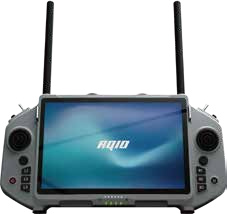
A useful requirement might read: “The agreed visible-camera source must appear in the accepted viewing application during a stationary bench demonstration.” This is deliberately different from “video works.” Add the circumstances that matter to your own project, such as another application remaining open or a prescribed restart sequence. Ask the integrator to propose measurable criteria rather than borrowing resolution or delay figures from an unrelated controller.
Keep vehicle connection and video status separate
An application can show a connected vehicle, messages or changing telemetry. This demonstrates the observed data connection in that session. It does not establish which camera stream is being received or decoded.
A video window needs the intended source and a supported viewing path. A picture can appear even when vehicle data is absent. Record picture freshness and source identity independently from vehicle status.
QGroundControl's official documentation describes communication links and video settings in separate parts of the application. That distinction is useful when discussing a fault. It is general software guidance, not evidence that a particular RQ10 configuration supports every documented input. Menus may also differ between a stable release and a supplier-maintained build.
For a civil inspection team, the practical consequence is simple: report both observations. “Vehicle connected, no camera picture” narrows the question more than “ground station disconnected.” Equally, a moving camera image with stale vehicle information should not be recorded as a fully working system. Keep each observation tied to its own screen area and time, and stop any operational use when required information cannot be trusted.
Read the source description before the menu
A source statement should identify the camera or encoder, the receiving endpoint, the transport expected by the viewing software and the video format. The physical connector belongs in the same document, but is not a substitute for the format. An Ethernet connection, for example, does not by itself tell you which stream the application should open. Avoid changing options until the integrator has supplied the intended description.
The official QGroundControl video guide distinguishes video source selections, stream addresses and decoder choices. Use that vocabulary to ask accurate questions. Do not copy an address from a demonstration screenshot or assume a camera uses the protocol shown in a different manufacturer's example. Addresses, credentials and private network details should be shared only through the project's approved support channel.
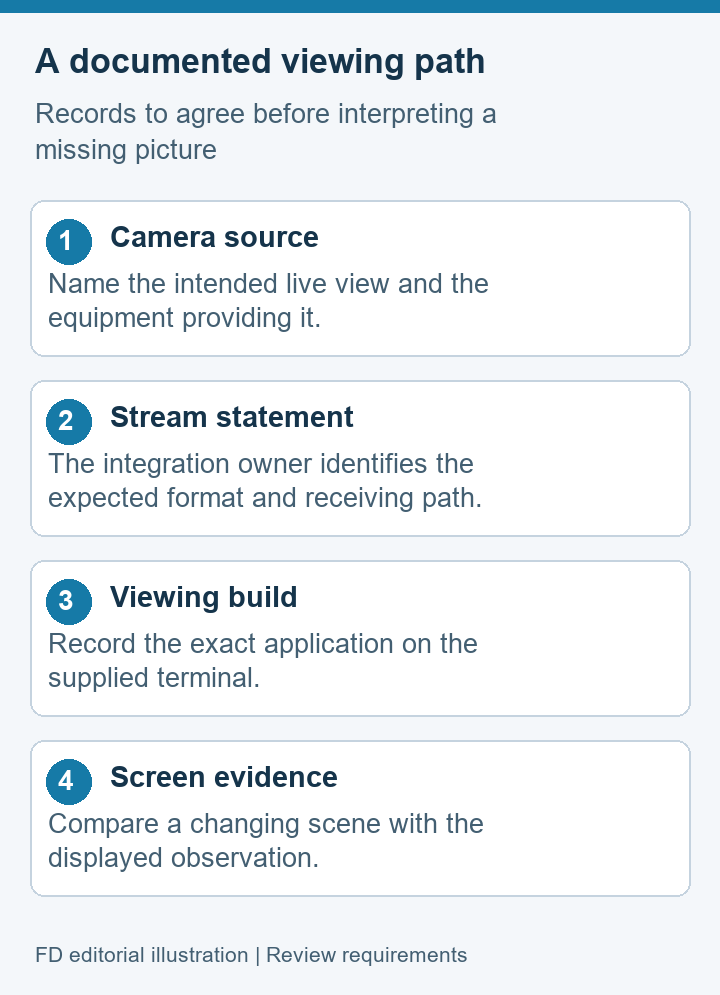
Also ask where the picture originates. PX4's companion-computer video documentation describes a system with a camera and software that provides the stream. The presence of a flight controller is not enough to demonstrate that arrangement. For your sample, someone must own the camera-side configuration and identify the software responsible for producing the video. That owner may be different from the person supplying the handheld terminal.
Use a stream evidence table
The following worksheet is a proposed record for integration discussions. Fill it from the delivered equipment and a witnessed demonstration. A blank cell means the detail has not been established; it should not be replaced by a likely setting. Keep confidential addresses and account information out of a public acceptance report.
| Observation | Evidence to retain | What it helps decide |
|---|---|---|
| Application identity | Name, build and sample identifier | Whether support is discussing the same software |
| Camera source | Source label and declared live or playback role | Whether the intended view is being supplied |
| Receive path | Integrator's agreed endpoint and format statement | Which boundary needs further evidence |
| Picture behavior | Changing scene, displayed response and time | Whether the view was current during this check |
| After restart | Same source selected, observed result and manual steps | Whether routine recovery meets the requirement |
This record is more useful than a single photograph of a working screen. A photograph cannot distinguish a live scene from a paused clip. The worksheet also separates software identity from viewing results, so a later update can be compared with the accepted baseline. Keep pass criteria in a separate approved column if the sheet becomes a contractual test document.
Observe a changing scene on a safe bench
Use a stationary, authorized setup with any aircraft or machinery made safe under the team's existing procedure. A colleague can move a plain card or another harmless object in the camera's view while a second person watches the terminal. The purpose is to establish whether the displayed scene changes as expected, not to derive a precision latency measurement from an informal demonstration.
Record what was observed at the source and on the screen. If the application displays a status message, capture that message with the software version. If the view is blank, unchanged or replaced by an error, describe it literally. Do not label every missing picture as a radio problem: the available evidence may concern the source, receiving software, selected input or decoder rather than the transmission medium.
Repeat only the ordinary restart or reconnection checks agreed with the supplier. Preserve the initial result before making a change, and identify the one change made between observations. Unrecorded adjustments can create a working picture while destroying the evidence needed to explain the original problem. Do not use a bench success as proof of flight readiness or dependable viewing under all operating conditions.
Prepare an issue report someone can reproduce
Suggested report order: sample identity, application build, expected source, observed behavior, conditions, evidence files and the person responsible for the next check.
Write the shortest sequence that leads to the observation, using ordinary actions authorized for the sample. “Open the accepted viewing screen after the normal startup; vehicle status changes but the camera pane stays blank” is a reproducible description. “The video system is bad” contains no equivalent evidence. Include the date and whether the same configuration previously passed.
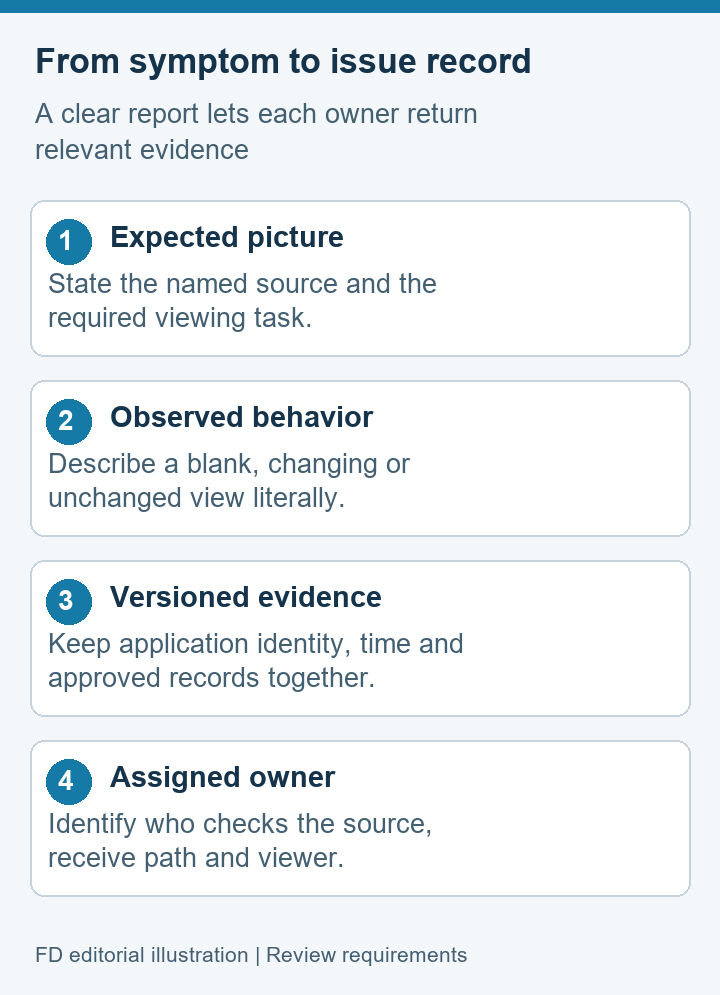
If a support team requests logs or screen records, confirm which files are relevant and how to remove private information. A vehicle log and a ground-station video recording are different evidence objects. Neither should be described as automatically synchronized unless the delivered software has demonstrated that function. Retain the original file names and a brief explanation of what each file proves.
Finish with an ownership question: who will check the source, the receive path and the viewing application? Assigning all three to “the controller supplier” may delay a resolution when another integrator owns the camera software. A written division lets each party return evidence for its boundary rather than offer competing guesses.
Video-stream questions
Does a connected vehicle mean QGroundControl should show video?
No. Vehicle communications and camera viewing are separate functions. Establish the intended source and the installed application's supported video path before treating a connected-vehicle indicator as evidence about the picture.
Does Android 14 prove QGroundControl compatibility on RQ10?
The RQ10 page lists Android 14 as a brochure reference. It does not certify an application build, decoder or connected camera. Request a demonstration of the agreed software and source on the supplied unit.
Should I try every available video-source option?
Ask for the intended source description first. Random option changes make the record harder to interpret and can hide the original issue. Follow the integrator's documented configuration and retain observations before authorized adjustments.
Can an informal moving-card check measure video delay?
It can reveal whether a view visibly changes, but it is not a calibrated timing test. If delay affects acceptance, agree on a documented method, equipment and conditions with the responsible engineer.
What should I send when the screen is blank?
Send the sample identifier, application version, intended camera source, exact screen behavior and a time-stamped observation. Add requested evidence through an approved channel while withholding private addresses, passwords and unrelated project data.
Agree on the next demonstration
Use the RQ10 Android Ground Control Station reference to identify the terminal, then obtain a separate description of the installed application and video system. Ask the integration owner to demonstrate the named source, its visible freshness and the agreed routine recovery on that exact combination.
The result should be a small evidence pack that another team member can understand: hardware identity, software identity, source statement, observations and unresolved items with owners. This gives “QGroundControl video stream” a specific meaning in your project. Any remaining blank cell is a question to resolve before acceptance, rather than a reason to claim that the product supports an untested feature.


 Tel: +86-13959965075
 Email: info@fpvdroneskit.com
 MP/WhatsApp: +86-13959965075
 Manufacturer Address:Quanzhou Valley Nanan Science and Technology Innovation Center, No. 89 Shijing Avenue, Shijing Town, Nanan City, Fujian Province


