

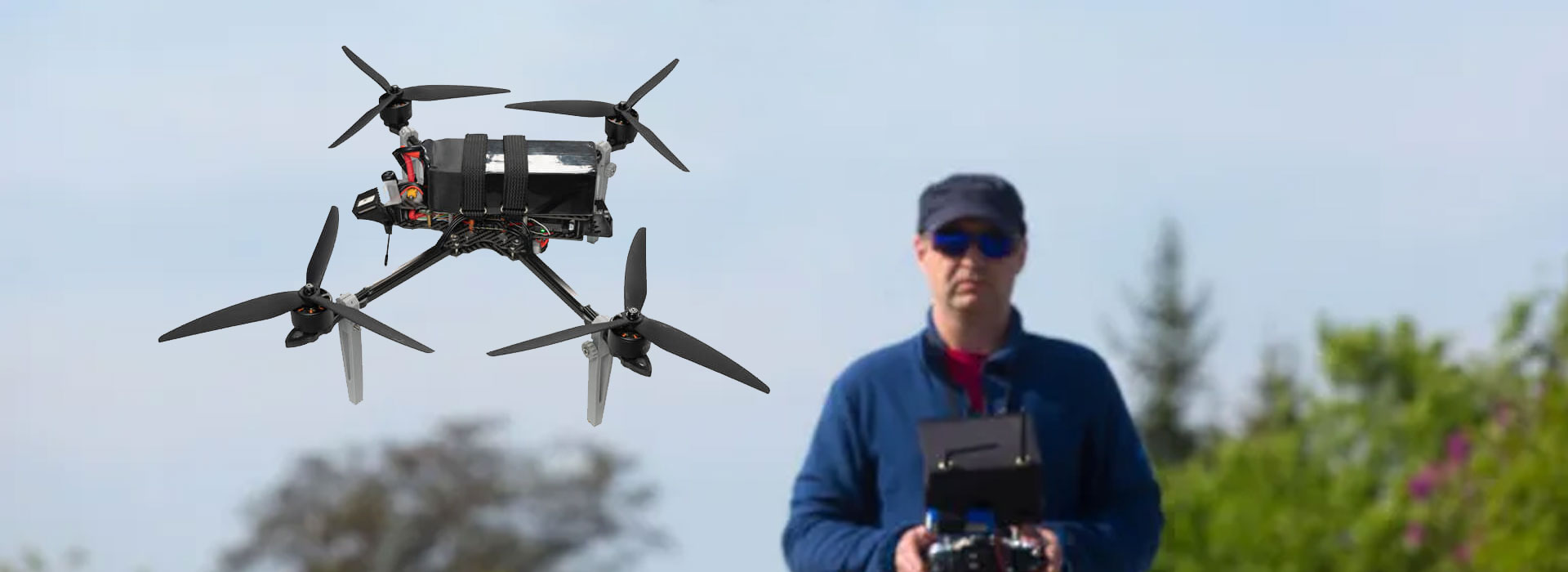
A camera manager is a software bridge that can present a camera's supported functions to a ground-station system through a defined protocol. Whether a GC30 arrangement needs or includes that bridge must be established for the actual offer. The GC30 brochure lists control-interface families and HDMI/IP video, but it does not establish native MAVLink support or a supplied camera manager. For a civil UAV project, ask which component connects the application's camera requests to the documented GC30 interface. Keep that software responsibility visible alongside the camera hardware, so a useful architecture concept is not mistaken for included integration.
Identify the gap a camera manager would address
A ground-station application and a camera may use different ways to describe an imaging action. The application might expose a named function, while the camera expects its own documented interface. A proposed bridge provides a place for that translation to be defined. Its usefulness depends on the functions and arrangement actually supported.
Official PX4 camera documentation describes camera-manager software that connects a camera's native interface with MAVLink's camera protocol. It also describes cameras that implement the protocol directly. These are general architecture possibilities. They do not decide which one applies to GC30 or whether the offered equipment has already implemented the necessary software.
Start the discussion by naming the project's desired application result. “An operator can request the documented camera action from this application build” is a more precise requirement than “MAVLink compatible.” It gives the supplier an identifiable result to demonstrate and makes it possible to separate hardware availability from the work needed to expose a function in software.
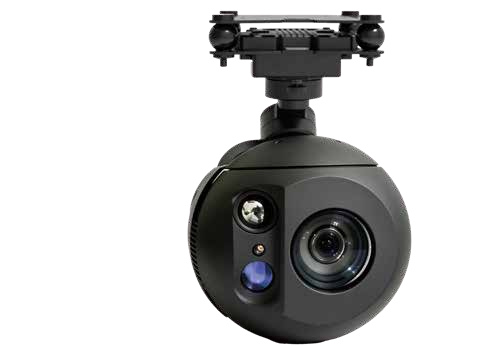
Hardware interfaces and application features have different owners
The GC30 reference names PWM, S.Bus, UART, TCP and UDP control methods. A product-interface list helps identify the hardware and communication material to examine. It does not describe the button layout or supported functions of a particular application. That application has its own software version, configuration and documentation.
Give the camera supplier a question about the camera-side function and give the application provider a question about how the proposed software exposes it. If a bridge connects the two, identify who provides and maintains that bridge. One supplier may own all of these jobs, but the responsibilities still deserve distinct names.
This matters when two offers contain the same camera model. One may include an identified software component; another may offer only hardware and interface information. Their model names can match while their integration scope differs. A clear responsibility record reveals the difference without assuming that either offer includes undocumented development work.
- Camera-side definition
- The revision-specific information describing the camera's supported actions.
- Bridge responsibility
- The software mapping between that definition and the proposed application's requests.
- Application presentation
- The functions actually exposed to the user by the identified application build.
Place the proposed bridge in the software description
An architecture diagram should show where the proposed camera-manager software runs and which components it serves. “Controller” can mean a handheld terminal, a flight-control device or an application in casual discussion. Replace that ambiguous label with the actual role in the proposed arrangement.
The diagram can be conceptual while the integration is under review. Label it as a proposal and keep unsupported connections visibly unresolved. If a supplier later identifies a working software arrangement, retain its own equipment and version details. Do not present an editorial bridge diagram as evidence of a tested GC30 installation.
Physical presence is not enough to identify software responsibility. A computer appearing in a photograph may be receiving video, running an application or doing several jobs. The relevant question is which component hosts the documented bridge and who supplies it. This is a software-description requirement rather than an instruction to install a particular package.
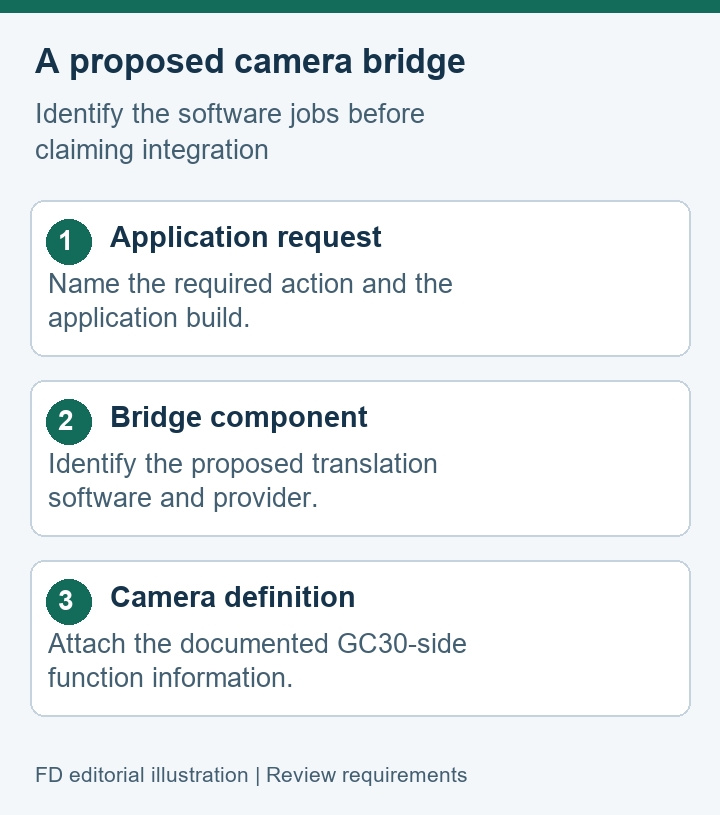
- Application requestName the imaging action and application build being considered.
- Proposed bridgeIdentify the software responsible for translating that request.
- Camera-side interfaceAttach the function definition for the offered GC30 revision.
Match advertised actions to supported functions
A broad statement of protocol support can conceal different sets of functions. The review should name the camera actions important to the project, then ask which are supported by the offered arrangement. A bridge that handles one documented action does not automatically establish every feature listed on a camera product page.
Use the project's own language for the required result. If the team needs an application-controlled imaging function, describe that function and identify the evidence expected. The supplier can then explain whether the camera exposes it, whether the bridge maps it and whether the application provides a usable control for it. Keep unsupported items separate from demonstrated ones.
General camera-protocol documentation includes capability and information exchange. That helps explain why a review should inspect supported functions rather than assume a universal feature set. It does not establish what GC30 reports or which protocol messages it accepts. The actual camera and bridge documents must answer those model-specific questions.
Read a demonstration as a named software arrangement
A useful demonstration identifies the camera, relevant software and requested action. The evidence should be specific enough that the project can distinguish the demonstrated combination from another application or hardware revision. A familiar-looking screen does not provide that identity by itself.
Describe the observed result in ordinary terms. For example, a supplier might show an identified application's camera control causing the intended imaging change in its stated arrangement. The record should say what was shown, which software was involved and what remains outside the demonstration. This example does not claim that such a GC30 demonstration has been supplied here.
A video that merely displays the camera feed addresses viewing. It may be valuable evidence for that purpose, but it does not necessarily show command translation. Ask for the record relevant to the software function under review. Conversely, a command demonstration should not be used to infer the quality or contents of every video output.
Separate included software from development work
The offer should state which software components are supplied and which integration tasks remain with the project. If a camera manager is included, identify its provider and supported arrangement. If it is proposed development, describe it as work to be completed rather than a capability already delivered with the camera.
| Deliverable | Identify it with | Responsibility question |
|---|---|---|
| Camera hardware | Offered model and revision | Who supplies its interface documentation? |
| Bridge software | Component identity and supported functions | Who maintains the stated implementation? |
| Application integration | Named build and demonstrated actions | Which requested functions remain project work? |
A documentation-only offer can still be useful to a team with its own application developers. The team needs to know the scope early enough to plan that work. Likewise, an included bridge needs a clear maintenance boundary: who answers a software issue, which revisions are supported and how the project learns that a component has changed.
Keep deployment responsibility separate from the camera's physical supply. A box containing the GC30 and its selected accessories does not establish that an application plugin or bridge licence is included. The equipment list and software list should agree with the supplier's stated deliverables without forcing every component into a single vague “complete system” description.
Ask the supplier to distinguish reusable documentation from a project-specific implementation. A generic protocol reference may inform several integrations, while a bridge prepared for one application build may have a narrower support scope. Recording that difference helps later teams understand what they can reuse and what requires further review.
Retain the bridge record with the camera offer
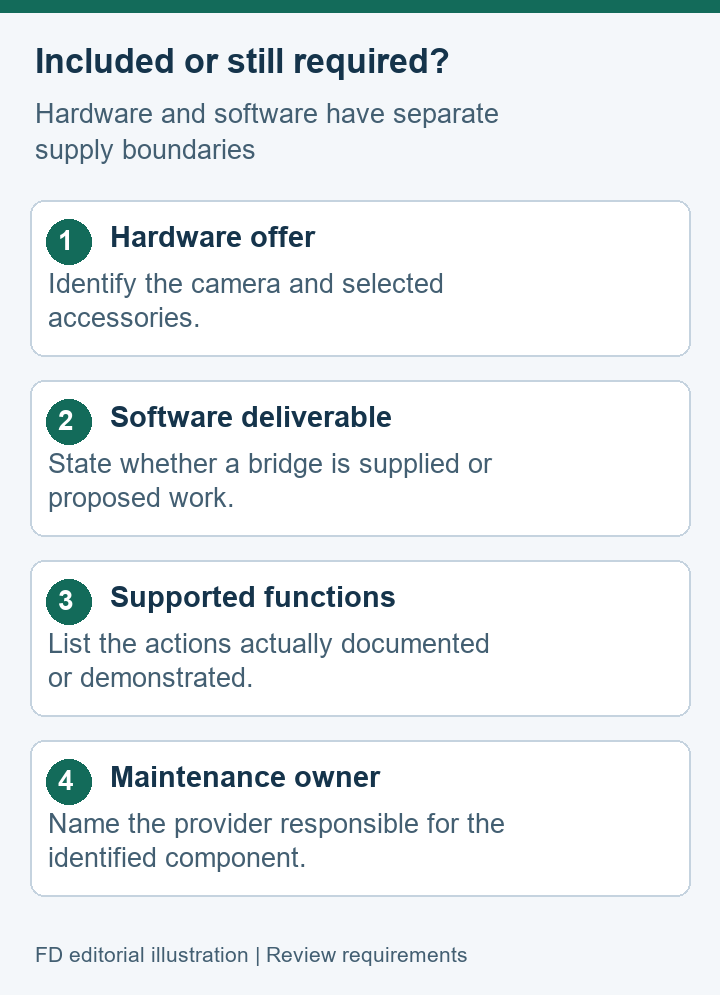
A software record belongs with the hardware offer it describes. Keep the model identity, relevant revisions, supported functions and supplier responsibilities in one findable package. If a bridge is absent or unresolved, preserve that status rather than assuming that general compatibility language fills the gap.
The record should remain readable to both purchasing and software staff. Purchasing needs to know what is included; the developer needs the function definitions and supported arrangement. A shared index can point each person to the relevant document without copying every technical detail into the offer summary.
Use the GC30 Dual Sensor Gimbal Camera listing to establish the camera model and its documented interface families. Treat the proposed camera-manager arrangement as a separate software question until the supplier provides evidence for that exact combination. This keeps the offer useful while preserving the distinction between a possible bridge and delivered integration.
GC30 camera manager questions
Is a camera manager established as part of the GC30 package?
The brochure material used for this guide does not establish that inclusion. A supplier should identify any offered bridge separately, together with its supported hardware and application arrangement.
Does a UART entry establish native MAVLink camera support?
No native-MAVLink claim follows from that interface family. The supported camera protocol and any translation software need their own documentation. A shared physical transport cannot settle the application-level question.
What should an application demonstration identify?
Name the camera revision, application build, bridge component if present and action demonstrated. Retain the result's limits, especially requested functions that the demonstration did not address.
Can one supplier own the hardware, bridge and application?
Yes, the responsibilities may sit with one provider. They still need explicit descriptions so the project knows which components are supplied and where unresolved integration or maintenance work belongs.

 Tel: +86-13959965075
 Email: info@fpvdroneskit.com
 MP/WhatsApp: +86-13959965075
 Manufacturer Address:Quanzhou Valley Nanan Science and Technology Innovation Center, No. 89 Shijing Avenue, Shijing Town, Nanan City, Fujian Province


