Author:Military Drone Manufacturer TIME:2026-10-30
Choose an MK15 Enterprise package from the camera connection outward. A network-video payload and an HDMI camera do not necessarily need the same air-side accessories, even though the pilot may use the same Enterprise handheld station. SIYI's manual separates the Enterprise Standard Combo from the HDMI Combo and identifies an air-unit HDMI input converter for the latter. It also distinguishes HM30 and older MK15 air units. A sensible purchase therefore names the camera, air unit, power arrangement and cables together. The goal is a matched system with useful controls and video, rather than a controller box that leaves essential parts undecided.
| Your starting point | Package direction | The question that matters next |
|---|---|---|
| Payload provides supported network video | Evaluate the Enterprise network-video arrangement | Does the selected camera stream work with the selected air unit and receiving application? |
| Camera provides HDMI video | Evaluate the Enterprise HDMI Combo and its air-side converter | Is the camera's actual HDMI mode supported through that converter and link? |
| Existing air equipment will be retained | Identify its exact model and revision before selecting replacements | What can remain, and which power, cable or software items must change? |
| Only a handheld controller is listed | Ask for a complete equipment schedule | Where are the airborne endpoint, antennas, camera connection and flight-controller cables? |
A camera specification can list several outputs, and a connector photograph may show only one of them. First identify the output the project will actually use. A supported Ethernet video stream and an HDMI signal are different inputs to an airborne video system. The appropriate accessory is determined on the aircraft side, before the picture reaches the handheld display.
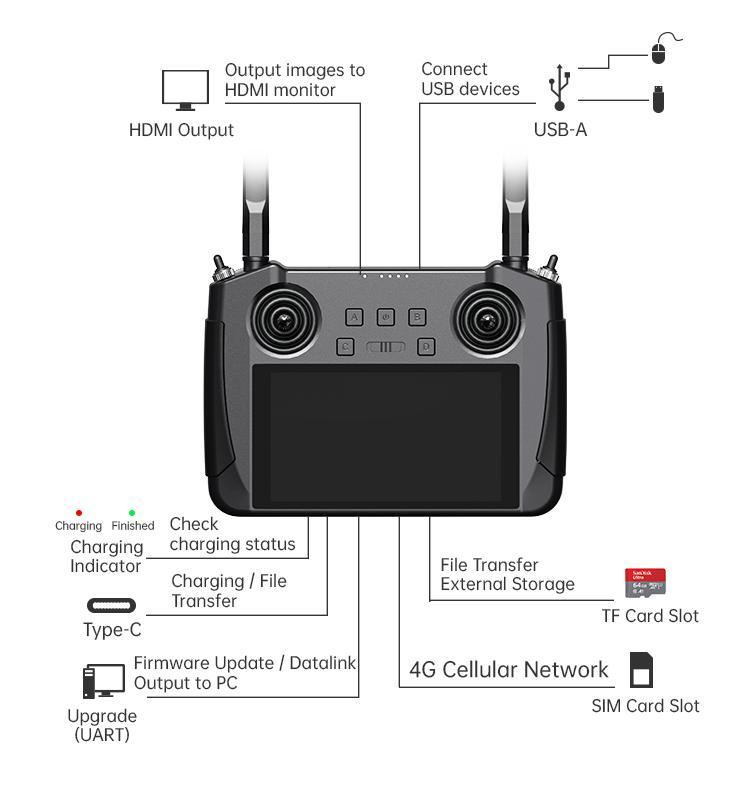
The Enterprise ground unit's HDMI output serves ground viewing. It should not be used as evidence that an HDMI camera can connect directly to the airborne endpoint. SIYI's documented HDMI package includes a separate air-unit HDMI input converter. That distinction is easy to miss when a quotation uses the single word HDMI for both ends of the link.
For a civil survey payload, describe the required image first: one camera view, a selected thermal view or another supported output. This article does not establish dual-stream support or camera switching for an unspecified payload. The camera's own modes, the chosen converter or network input and the receiving application have to form a supported chain.
The MK15 Enterprise handheld station is documented with a 5.5-inch 1080p touchscreen, Android 9 and 2 GB RAM plus 16 GB storage. Those are ground-computing specifications. They help define the operator's screen and application environment; they do not describe the airborne camera input or the aircraft wiring.
The air unit provides different jobs. The manual lists S.Bus and PWM outputs, a UART datalink connection and a LAN video/network connection. Each has a particular role in the selected system. A single package name should not hide whether the aircraft needs a control cable, a telemetry cable, a network cable or all three.
SIYI's current manual identifies HM30 in the Enterprise equipment list, with a note that Enterprise lots before 2024 may have used the older MK15 air unit. This matters particularly for replacement orders and mixed fleets. Match the actual supplied air unit rather than deciding that every product carrying MK15 in its description has identical connections and power requirements.
Begin here when the intended payload has a supported network-video connection. Identify the camera stream, receiving software and required network harness. Do not add an HDMI converter merely because the handheld has an HDMI output.
Begin here when the intended camera source is HDMI. The documented package distinction is the air-unit HDMI input converter. Include the converter and its camera-side connection in the equipment list, then evaluate the complete video path.
The cheapest list price is not always the cheapest complete solution. A bare controller and air unit may omit the accessory your camera needs. Conversely, an HDMI bundle may add an unnecessary converter to a network-video project. Comparing component lists makes that difference visible without inventing a performance advantage for either arrangement.
Where a vendor lists a camera mode, retain the full mode description in the request. A camera's maximum recording resolution is not automatically its live HDMI output or network-stream format. Ask for the supported operating mode in the complete combination. This is more useful than collecting several maximum specifications that never operate together.
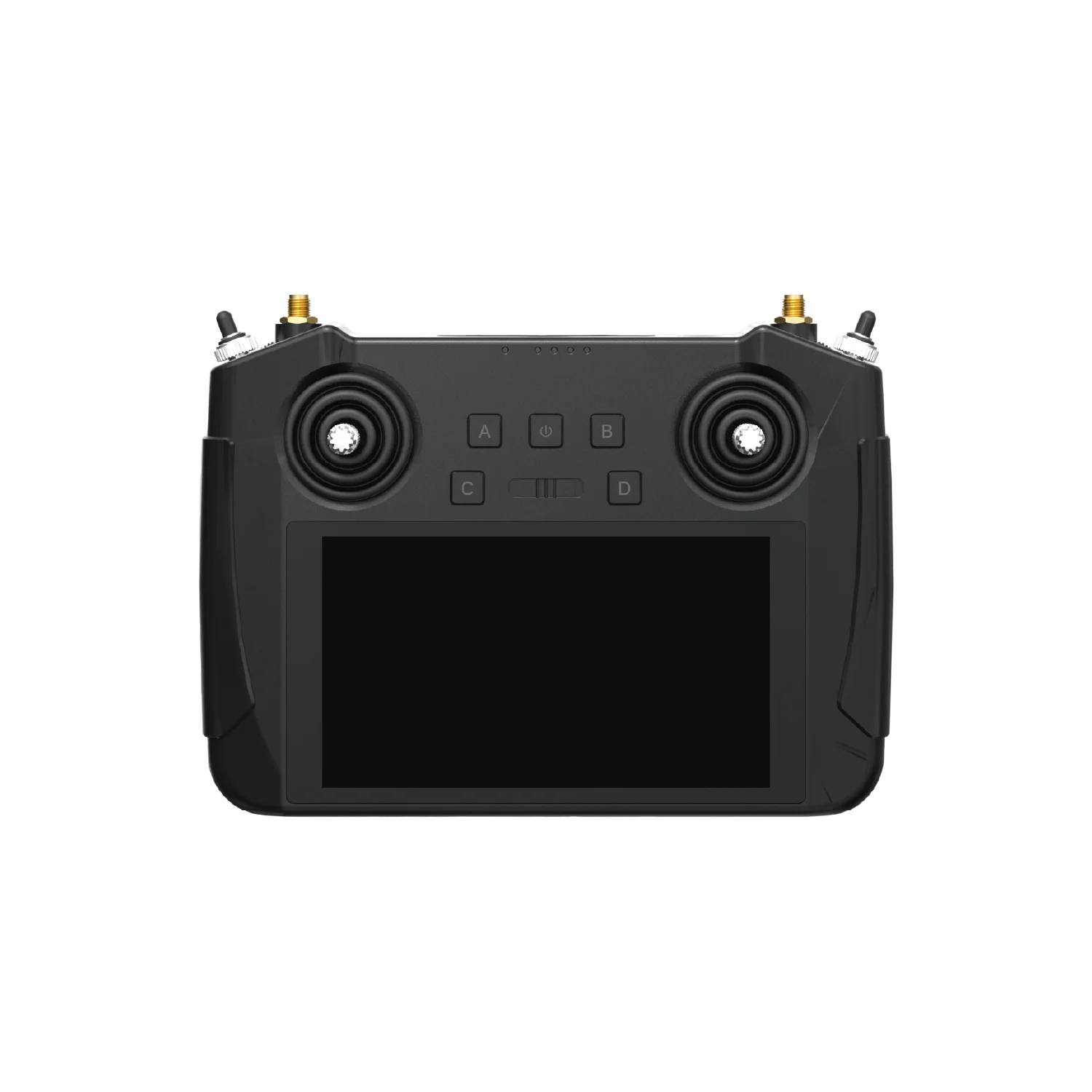
The handheld specification includes a 10200 mAh, 7.4 V battery rated at 75.48 Wh, with PD 20W charging. Those numbers describe the ground unit. They must not be copied into an aircraft power requirement or used to select an airborne converter.
The manual gives different input guidance for MK15 and HM30 air units and describes an additional power module in the Enterprise package. It also includes manufacturing-lot qualifications for earlier units. For a new purchase, the useful request is therefore the exact delivered air-unit model and the supported power arrangement for that unit. For an older installation, include a clear label photograph and its existing power-module identity.
Useful quotation rule: every powered item gets its own line. The air unit, any separate power module, the camera and a camera converter should not disappear into one vague system-voltage number. This is a selection rule; follow the supplied manufacturer instructions for actual installation.
Do not treat an accessory name as permission to use an arbitrary aircraft supply. Have the supplier specify the supported arrangement for the selected equipment. This keeps the buying discussion focused without turning a blog into a wiring guide.
Video, flight-controller telemetry and control inputs solve different problems. A camera image on the screen is useful evidence for viewing, but it does not establish that aircraft status is available or that each physical control performs the intended function. The manual distinguishes 13 physical channels from 16 communication channels; those are different labels, not interchangeable counts of ready-to-use payload functions.
In a civil inspection project, a simple division helps. The payload provides an image. The ground application presents that image and any supported status information. The selected aircraft-control and telemetry connections serve their own functions. Decide which of those jobs is required before asking for an all-in-one package.
Software also belongs in the comparison. Android 9, 2 GB RAM and 16 GB storage establish a hardware/software environment, not a promise that every current application or camera plug-in will run. Request the intended application build with the equipment proposal. If the project depends on a particular payload menu, include that task in the sample review rather than assuming it follows from the operating-system name.
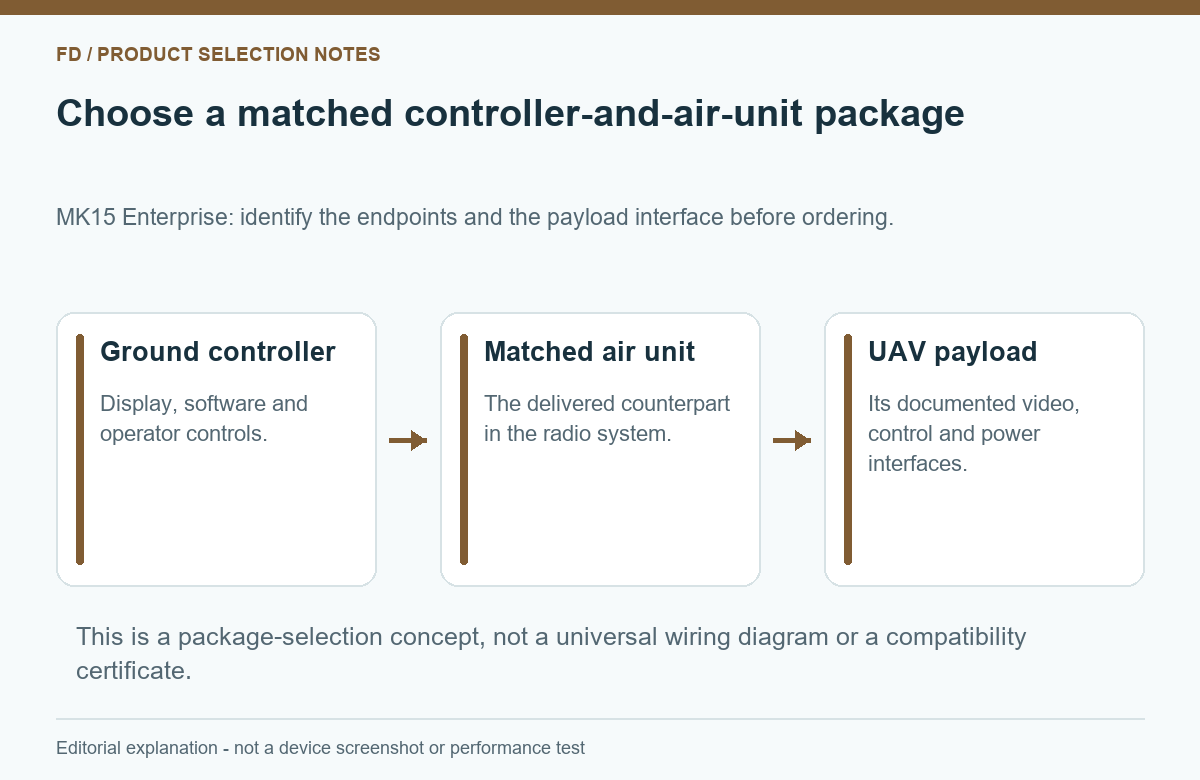
Imagine a hypothetical supplier offer containing a handheld and air unit, and a second offer containing those items plus a converter, power module and cables. The second price is higher, but the difference does not establish better radio quality or a worse deal. First bring both offers to the same functional scope. Only then compare total cost, delivery terms and service.
Then review one working configuration. A useful demonstration follows the same camera source and application through the complete kit. It should show the required viewing and control tasks, rather than only a powered screen. There is no need to demand unsupported range promises or unrelated features to make this comparison useful.
This approach also helps when expanding an existing fleet. A lower-cost replacement can be attractive if the retained equipment has a supported match. A different air-unit revision may instead require other accessories. The comparison is between complete working combinations, not between controller photographs.
No. Ground output and airborne camera input are different functions. SIYI identifies an air-unit HDMI input converter in the Enterprise HDMI Combo.
Keep the edition explicit. The manual states that the Agriculture handheld lacks the Enterprise HDMI output, and the equipment lists differ.
The manual includes manufacturing-lot distinctions. Identify the actual supplied model, especially when replacing or retaining older airborne equipment.
No. The published figures are 13 physical channels and 16 communication channels. Their application assignments depend on the supported configuration.
Only if its chosen camera path needs that accessory. A supported network-video arrangement may have a different equipment list. Compare the actual functional requirement.
Start with the payload model and output you intend to use, then list the aircraft equipment you want to retain. The SIYI MK15 Enterprise Ground Control Station product specifications provide the ground-unit starting point. A useful quotation adds the correct air endpoint, camera accessory, power arrangement and cables around that requirement.

 Tel: +86-13959965075
 Email: info@fpvdroneskit.com
 MP/WhatsApp: +86-13959965075
 Manufacturer Address:Quanzhou Valley Nanan Science and Technology Innovation Center, No. 89 Shijing Avenue, Shijing Town, Nanan City, Fujian Province