

A B2B quote for the RQ10 Android Ground Control Station should identify the exact terminal, chosen video/data configuration, aircraft-side equipment, application software, accessories and acceptance evidence. Ask for one itemised offer that separates included parts, priced options and buyer-supplied equipment. The brochure describes a 10.1-inch Android terminal and several module arrangements, but it does not establish a universal ready-to-use system. A useful quotation connects each requested function to a named deliverable and a checkable configuration. This approach helps procurement, integration and receiving teams compare the same scope before a sample order or a larger purchase.
Start with the system boundary
Begin the request with the intended civil job: inspection, mapping or operator training. Describe what the operator needs to see and control, which aircraft or controller is already selected, and which integration decisions remain open. A request for a “ground station” can mean a handheld terminal, a communication package or an entire assembled workflow. Naming these parts avoids a price comparison between unlike offers.
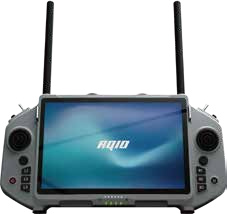
The supplied brochure lists Android 14, a Qualcomm SM6225 processor, 4 GB memory, 64 GB storage and a 10.1-inch 1920 × 1200 display for the RQ10. Treat these as reference hardware facts for identifying the proposed terminal. Ask the quotation to state the actual hardware revision and delivered Android build, especially if a project will qualify one sample before buying several units.
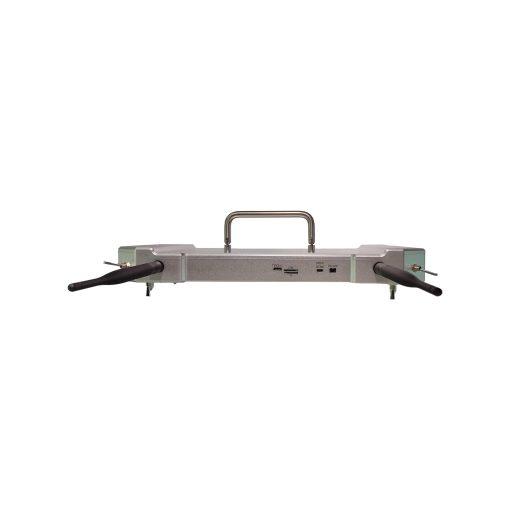
The module photographs show alternatives on the rear of the terminal. They do not prove that every alternative arrives together. Ask whether the offer is for the terminal alone, a ground-side assembly, or a matched set that includes aircraft-side equipment. The supplier's answer should list individual part names and quantities rather than repeat the word “complete”.
Build a supply-scope ledger
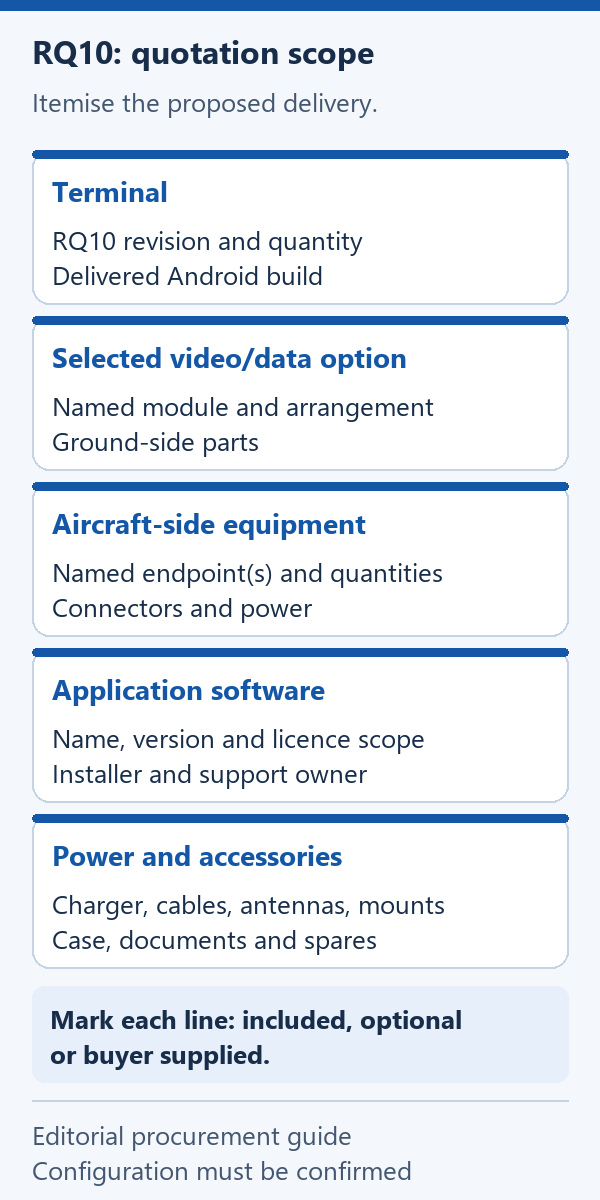
Use a ledger to capture what each price buys. Give every line one of three supply states: included in the quoted price, available as a separately priced option, or supplied by the buyer. “To be confirmed” is a temporary working state that should be resolved before an order. Keep the ledger with the quotation revision so later discussions do not silently change the package.
| Quote line | Supplier answer needed | Evidence to request |
|---|---|---|
| RQ10 terminal | Exact revision, delivered OS build and quantity | Configuration sheet and same-model photographs |
| Video/data option | Named module and installation arrangement | Module identity, parts list and labelled assembly photograph |
| Aircraft-side equipment | What accompanies the ground-side equipment | Endpoint list, connectors and power requirements |
| Application software | Name, version, installation and licence scope | Version record and configuration-specific check |
| Power and accessories | Charger, cables, antennas, mounts and case | Itemised packing list and accessory identifiers |
| Support and documents | Included handover, warranty terms and support scope | Written offer and revision-controlled documents |
The brochure names VW20 and VS20 options. If one appears in an offer, ask which exact configuration is proposed and what each endpoint includes. A model name alone leaves questions about mounting, cables and power unresolved. Also ask whether the option is installed before shipment or provided separately for your team to integrate.
For sample and production quantities, keep the same configuration description and ask for separate commercial lines. Record any differences in included accessories or preparation. This makes a lower unit price understandable without assuming that support, modules or documentation are unchanged.
Turn interfaces into quotation questions
The brochure lists USB-C, USB-A, HDMI and Ethernet connector families. A connector label is a starting point for discussion. The quotation should state the function of each port used by your project, its direction where relevant, and the cable or adapter required. Avoid assuming that a visible connector accepts a particular camera or supports your preferred video workflow.
Ask the integration team to describe the intended connection at both ends. For example, identify the existing device, its connector, the information it needs to exchange and its power arrangement. The supplier can then confirm a proposed connection or explain what additional interface equipment is needed. This is more useful than asking whether the terminal has “all common ports”.
When a project needs video, separate the camera connection, selected transmission equipment and application display path in the written request. When it needs control or telemetry, identify the intended controller and software. The purpose is to obtain a configuration-specific answer, not to infer full compatibility from a list of standards or socket types.
Put the agreed connections into a small interface schedule attached to the offer. Each entry should name the two connected components, supplied cable and confirmation method. Unresolved connections can then be addressed before the sample ships, rather than becoming an unexpected accessory purchase during receiving.
Specify software as a deliverable
Android 14 identifies the reference platform; it does not identify the application delivered with a particular order. Name the application your project intends to use, its version and the required functions. Ask whether it will be preinstalled, supplied for installation, or supplied by the buyer. Include any licence, account, activation and update requirements in the commercial scope.
A useful confirmation names the RQ10 configuration, Android build, application version and connected equipment together. Ask what was actually checked: opening the application, receiving the intended data, displaying video or recognising controls are different observations. A screenshot may show an interface, but it does not establish that every required connection worked.
For repeat orders, agree how software changes will be handled. Ask the supplier to identify a change in the delivered build or application before substituting it for the qualified sample. Record who keeps the installation instructions and who supports the application. These responsibilities are particularly relevant when the hardware supplier and your software team handle different parts of the workflow.
Price power and accessories explicitly
The brochure lists a 3.7 V, 20000 mAh battery reference. That number does not tell the buyer which charger, charging cable or replacement arrangement is included. Request those items by name and quantity. If battery transport documents or a particular mains plug are required for the destination, add them to the requested document and accessory lists.
Operating time depends on the agreed equipment and conditions. The brochure's runtime descriptions differ and one stated condition excludes the video link, so a fixed hours claim is unsuitable as the basis of this comparison. If your project has a session-length requirement, ask for a written test plan covering the selected modules, running applications, screen setting, ambient conditions and completion criterion.
The same approach applies to communication-performance and environmental requirements. State the project requirement and request relevant configuration-specific evidence. A module option or a product photograph does not supply a distance guarantee, weather rating or field-test result.
Accessory lines deserve the same attention as the terminal. A carry case, antennas, mounts and interface cables affect what your team can do when the shipment arrives. Ask the offer to mark them individually, and distinguish included spares from replacement parts that are merely available to order.
Make sample acceptance measurable
Agree a sample checklist before ordering. Start with identity and scope: terminal model, hardware revision, installed module, software versions and accessory quantities. Then select checks that relate to the intended civil workflow. A checklist should state the expected result, required equipment, responsible party and the record retained after the check.
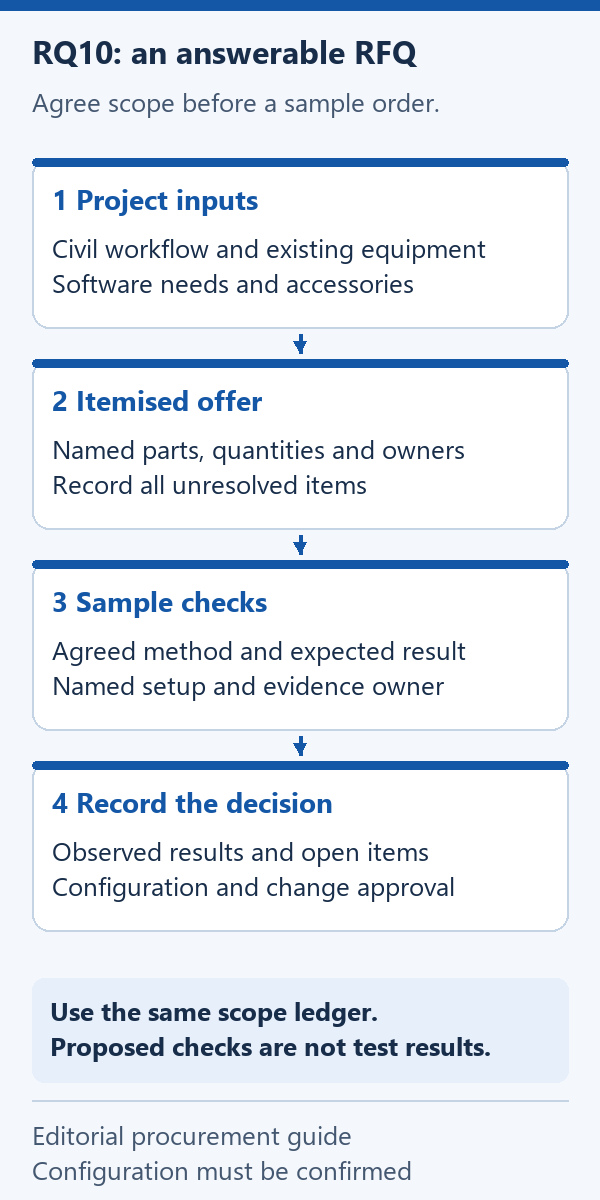
Receiving staff can compare labels, packing contents and visible condition with the agreed documents. The integration team can check the nominated application and required interfaces using the specified equipment. Record discrepancies against the quotation line they affect. This separates a missing cable from a software issue and prevents a general “sample failed” note from obscuring the cause.
Keep photographs, configuration records and the completed checklist with the quotation revision. If a change is proposed after the sample check, decide which affected items need another check. The next purchase decision can then refer to the accepted configuration instead of relying on a remembered demonstration.
RQ10 quotation FAQ
Does an RQ10 quotation automatically include aircraft-side equipment?
The supply list must say so. Ask for the ground-side and aircraft-side items separately, with quantities and exact identifiers. A terminal or module photograph cannot establish the contents of the shipment.
Should different rear-module arrangements become separate product orders?
Identify them as configuration alternatives for the RQ10. Compare named options in the offer and select the arrangement required by your project. Confirm whether the selected option is installed or supplied for integration.
Is Android compatibility enough to approve the software workflow?
Request confirmation for the actual application version, delivered Android build, required functions and connected equipment. Platform availability and successful operation of the intended workflow are separate questions.
Can the brochure's battery capacity be converted into a promised session time?
Use it as a reference specification. A session-time requirement needs agreed operating conditions and a defined check. Do not select an hours figure from conflicting brochure statements as a purchase guarantee.
What is the shortest useful RFQ attachment?
A one-page scope ledger can work if it identifies the terminal configuration, chosen link, aircraft-side components, software, accessories and required evidence. Attach the interface schedule when existing equipment must be connected.
Send an RFQ that can be answered
Use the RQ10 Android Ground Control Station hardware page to identify the reference terminal, then send your project inputs and supply-scope ledger. Request an itemised offer, configuration-specific confirmations and a sample acceptance plan. Resolve each open item with a named part, a written responsibility or a checkable record before placing the order.
A quotation built this way gives each team a usable document: procurement can compare commercial scope, integration can assess the proposed connections, and receiving can check what arrived. It also preserves the distinction between brochure reference information and the configuration your project has actually agreed to buy.



 Tel: +86-13959965075
 Email: info@fpvdroneskit.com
 MP/WhatsApp: +86-13959965075
 Manufacturer Address:Quanzhou Valley Nanan Science and Technology Innovation Center, No. 89 Shijing Avenue, Shijing Town, Nanan City, Fujian Province


